
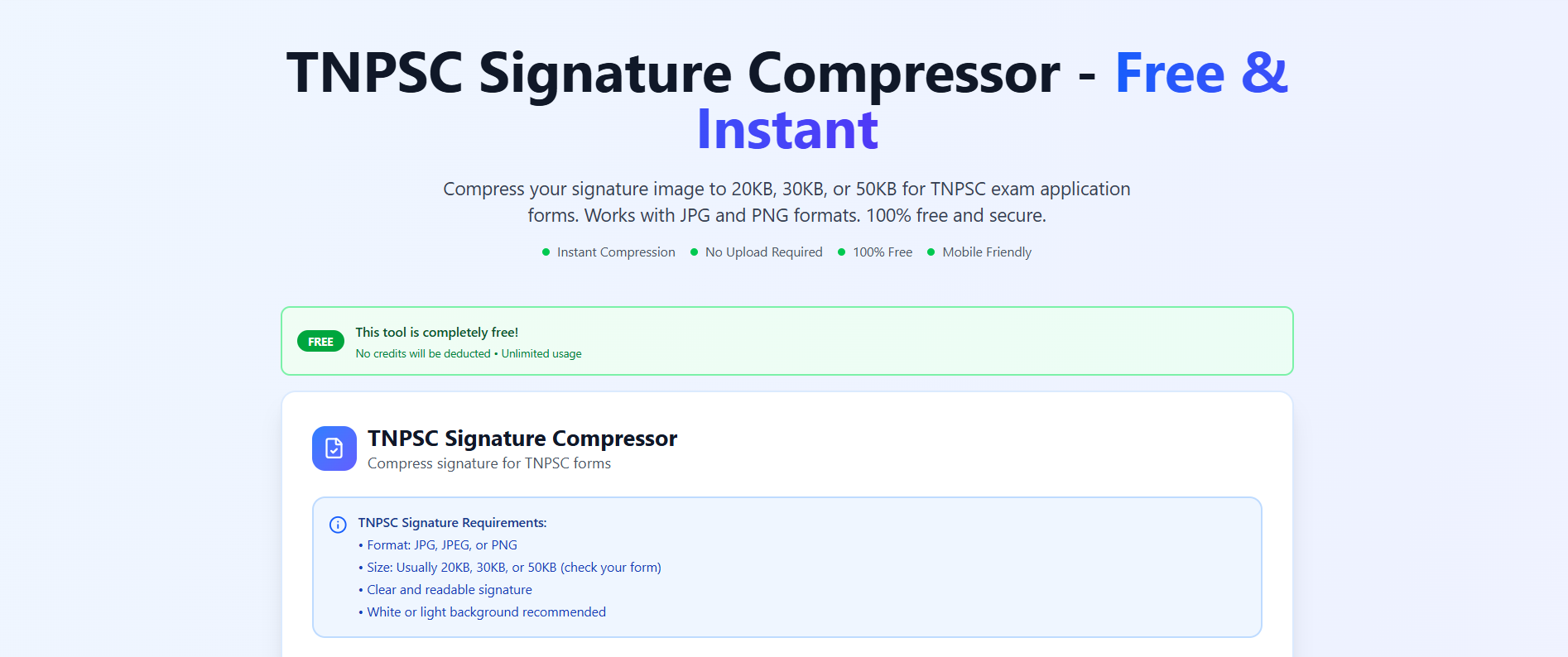
TNPSC image compressor: Navigating the competitive landscape of government examinations in India is a journey of both mental fortitude and administrative precision. For thousands of aspirants in Tamil Nadu, the Tamil Nadu Public Service Commission (TNPSC) represents the gateway to a stable and prestigious career. However, before the first question is ever answered in an exam hall, candidates must successfully navigate the digital hurdles of the One Time Registration (OTR) and the subsequent application submission. One of the most common points of failure for many applicants is the incorrect uploading of digital assets. This is where a specialized tnpsc image compressor becomes an indispensable ally for every serious candidate.

Official Guidelines for a tnpsc image compressor and Successful Uploads
The Tamil Nadu Public Service Commission sets very specific digital photograph specifications that must be met for an application to be accepted. Unlike many other portals that might be more flexible, the TNPSC system is designed to reject any image that does not strictly adhere to its pixel and file size boundaries. A high-quality tnpsc image compressor ensures that you don’t just guess at these numbers but hit them exactly every time.
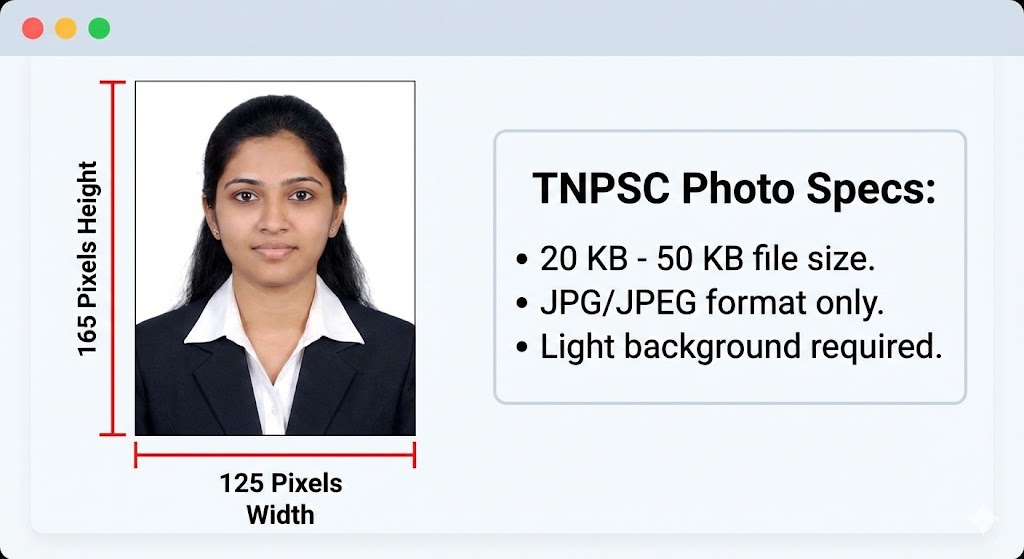
According to the official mandates, your OTR registration photo must be a recent, professional-looking color picture taken against a white or light blue background. The dimensions are precise: it must have a height of 165 pixels and a width of 125 pixels. Furthermore, the file must be in JPG or JPEG format and have a file size between 20 KB and 50 KB. For those unfamiliar with digital editing, trying to achieve this manually can be a nightmare. This is why using a dedicated tnpsc image compressor is the most reliable way to reduce image size in kb without sacrificing the clarity needed for identification.
Why Candidates Need a Reliable tnpsc image compressor
In the age of high-definition smartphone cameras, most photos we take are several megabytes in size. Uploading a 5 MB file to a portal that only accepts 40 KB will result in an immediate “Invalid File Size” error. The goal of a tnpsc image compressor is not just to make the file smaller, but to do so while maintaining the digital photograph specifications required by the commission.
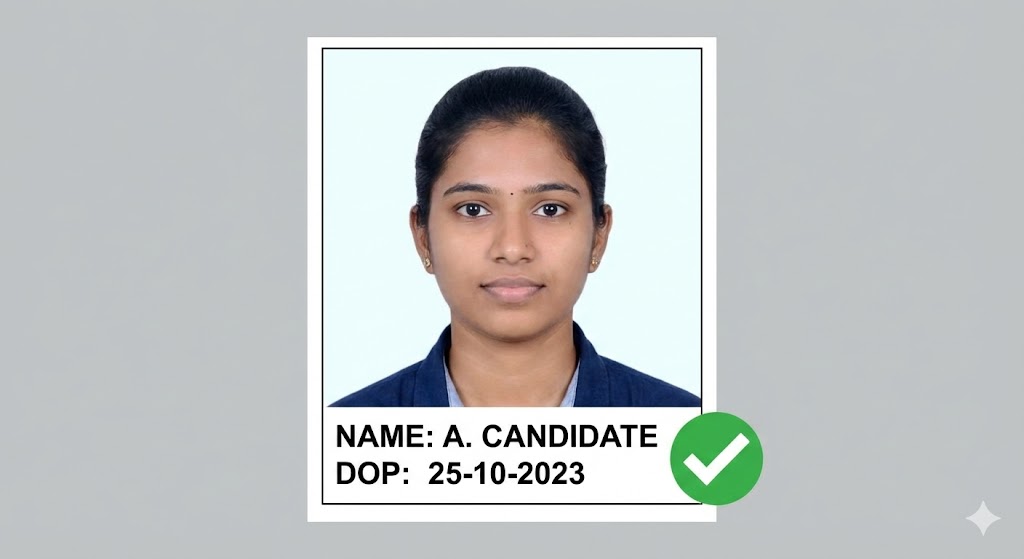
Furthermore, the TNPSC has a unique requirement: the applicant’s name and the date of photography must be printed clearly at the bottom of the photograph. A sophisticated tnpsc image compressor or TNPSC photo resizer often includes a feature to add this text overlay automatically, ensuring you meet the mandate of inscribing the name and date in black text against a white rectangular background. Without this, even a perfectly sized photo is liable to be rejected.
Mastering TNPSC photo resizer Techniques for Group Exams
Whether you are applying for Group II, IIA, or the massive Group IV services, the TNPSC application process remains consistent in its demand for accuracy. When you use a TNPSC photo resizer, you are essentially performing a two-step operation: resizing and compressing. Resizing changes the pixels (the height and width), while compressing reduces the file size in KB.
For most sarkari exam photo resizer tools, the primary challenge is maintaining the aspect ratio. If you force a wide photo into the narrow 125×165 pixels frame without proper cropping, your face will appear elongated or distorted. A professional tnpsc image compressor will first allow you to crop the image to the correct passport size photo dimensions before applying the final compression. This ensures that your admit card features a recognizable and professional image, which is vital during the verification stage at the exam center.
Handling TNPSC signature resize for One Time Registration
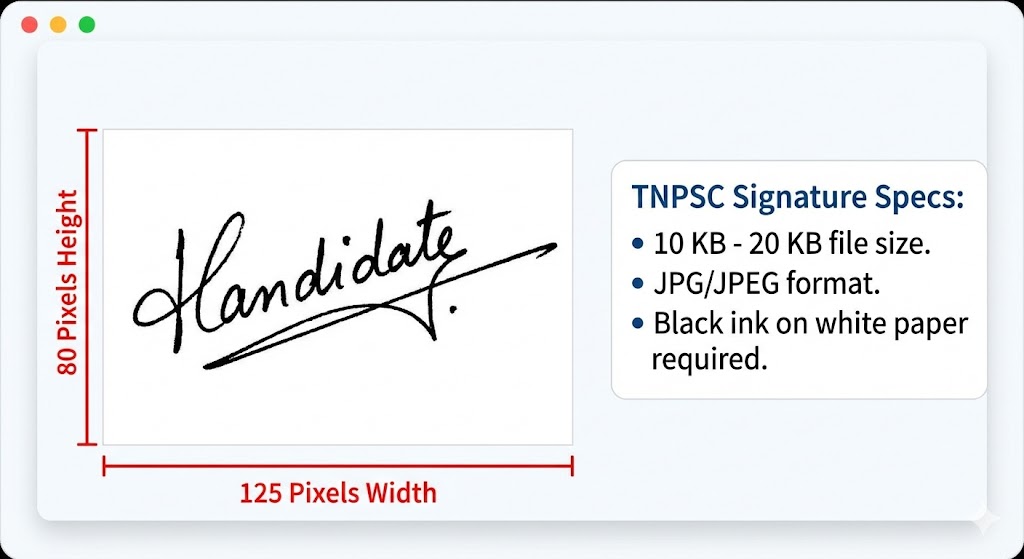
The signature upload is just as critical as the photograph. For the One Time Registration, the TNPSC signature resize requirements stipulate a height of 80 pixels and a width of 125 pixels (or 3.5 cm x 1.5 cm). The file size for the signature must be even smaller than the photo, typically between 10 KB and 20 KB (and strictly not more than 30 KB).
Candidates should sign on a plain white sheet using a black ink pen, scan it at 200 DPI, and then use a tnpsc image compressor to trim the excess white space and hit the target KB limit. Using a JPEG image compressor specifically tuned for signatures prevents the ink from looking “faint” or “pixelated” after the size reduction. Remember, a signature consisting only of initials or done in capital letters will not be accepted.
How to reduce image size in kb without Quality Loss
A common fear when using an online image compressor is that the final image will be too blurry for the commission to accept. However, modern tnpsc image compressor algorithms are highly efficient. They utilize “lossy” compression that targets data the human eye is less likely to notice, keeping the essential details sharp while slashing the file size.
To successfully reduce image size in kb, follow these steps:
Start with a High-Quality Scan: If you scan a blurry document, the online image compressor will only make it worse.
Crop First, Compress Second: Remove all unnecessary background space to focus the pixels on your face or signature.
Use the Right Format: Always ensure your sarkari exam photo resizer is set to output as JPG or JPEG, as these formats are the industry standard for compression.
Preview Before Finalizing: Always use the preview function of your tnpsc image compressor to ensure your name and date are legible.
While your primary focus might be finding a tnpsc image compressor, savvy aspirants know that managing a digital application often involves handling more than just images. Compressnow.in is a versatile platform that offers a range of tools beyond a simple JPEG image compressor.
As shown in the interface above, the platform is designed with user-friendliness in mind. While the screenshot highlights their “Add Page Numbers to PDF Online” tool, it demonstrates the site’s commitment to instant processing and security. For TNPSC application process needs, you might find that you have several supporting certificates that need to be merged or organized. Using the “Pro Tips” seen in the screenshot, you can adjust margins and positioning to ensure your document PDFs are just as professional as your photos.
The step-by-step guide provided on Compressnow.in (seen above) mirrors the intuitive flow you need when preparing your OTR registration photo. Whether you are numbering pages for an academic portfolio or using their online image compressor to meet a strict KB limit, the platform ensures your files are processed locally in your browser, guaranteeing your data is 100% secure.
Beyond Images: Organizing Support Documents for Recruitment
In many technical or interview-level posts, candidates are required to upload supporting documents like degree certificates, community certificates, or practice certificates. For TNPSC Notification requirements, these documents often need to be in PDF format and must not exceed 200 KB.
If your scanned certificate is over the limit, a standard tnpsc image compressor might not work, but a PDF compressor on the same platform will. Organizing these documents with clear numbering or headers using the tools found on Compressnow.in can make the verification process much smoother for the officials. A well-organized TNPSC application process reflects your preparedness as a candidate.
Troubleshooting tnpsc image compressor Common Errors
Even with a great sarkari exam photo resizer, you might encounter technical glitches. Here are some common issues and how to resolve them:
Error: Invalid Image Dimensions: This occurs when your pixels are not exactly 125×165 for photos or 125×80 for signatures. Re-run your image through a TNPSC photo resizer and double-check the settings.
Error: File Size Too Small: While we often worry about large files, a file below 20 KB can also be rejected. If your tnpsc image compressor is too aggressive, reduce the compression level to keep the file around 30-40 KB.
Error: Name and Date Missing: If you used a simple online image compressor that lacks an editing suite, you might have forgotten the text overlay. Use a TNPSC photo resizer that specifically includes a “Add Name and Date” feature.
Error: Blurry Signature: This usually happens if the scan was poor. Re-scan your signature in high resolution before using the tnpsc image compressor.
Real-Life Examples of tnpsc image compressor Mastery
Example 1: The Last-Minute Savior Anil, an aspirant from Madurai, was trying to complete his Group IV application on the final day. He had a professional photo, but it was 2 MB. Every time he tried to upload it, the page timed out. He quickly searched for a tnpsc image compressor and used a tool that automatically adjusted his pixels to 125×165 and brought the size down to 35 KB. He successfully submitted his application just thirty minutes before the deadline, highlighting the importance of having an efficient online image compressor ready.
Example 2: Correcting the Signature Aspect Ratio Sneha noticed her signature looked “stretched” on her OTR dashboard. She had used a generic sarkari exam photo resizer that didn’t maintain the aspect ratio. After researching TNPSC signature resize techniques, she realized she needed to crop her signature scan into the correct 125×80 pixels box first. By using a proper tnpsc image compressor, she was able to re-upload a crisp, clear signature that perfectly matched the official digital photograph specifications.
Conclusion: Your tnpsc image compressor as a Career Partner
In the grand scheme of exam preparation, resizing a photo might seem like a minor detail. However, it is the first “test” of your ability to follow complex instructions—a trait highly valued in any public servant. A reliable tnpsc image compressor is more than just a tool; it is a way to ensure that your hard work isn’t sidelined by a technicality.
By understanding the passport size photo dimensions, mastering the TNPSC signature resize rules, and using platforms like Compressnow.in to reduce image size in kb, you take full control of your TNPSC application process. Whether you are working on your OTR registration photo or organizing a stack of certificates, precision and security should be your top priorities. With the right tnpsc image compressor and a meticulous approach, you can move forward in your career with confidence, knowing that your digital paperwork is as flawless as your exam performance. Use a high-quality online image compressor today and take the first step toward your future with the Tamil Nadu Public Service Commission. Every KB counts when you’re aiming for professional results.
Can I use a regular selfie for my TNPSC OTR?
No. The commission strictly rejects selfies and Polaroid photos. You must use a professional passport-size photograph with a clear white or light blue background. After taking a proper photo, use a tnpsc image compressor to meet the 125×165 pixels requirement.
Why is my name and date not appearing on the photo?
Standard image editors often lack a text overlay feature. To comply with the mandate, use a specialized TNPSC photo resizer that allows you to “Add Name and Date” at the bottom. This text must be in black against a white rectangular background.
What happens if my signature file is 25 KB?
While the limit is technically up to 30 KB, many candidates find that the TNPSC signature resize process works best when the file is kept between 10 KB and 20 KB. If it’s too close to the limit, a minor server glitch might cause an upload error.
Is it safe to use Compressnow.in for my certificates?
Yes. Compressnow.in processes your files locally in your browser. This means your sensitive documents, such as community or degree certificates, are never stored on their servers, ensuring 100% secure handling for your TNPSC application process.
Need to Compress or Convert Files?
Try CompressNow.in - Free, Fast & Secure file compression and conversion tools!

Author Bio – Tanishk Singh
Tanishk Singh is a Digital Marketing Strategist, SEO Specialist, and Web Technology Expert with over 4+ years of hands-on experience in building, ranking, and monetizing high-performance web platforms.
He has helped scale organic traffic for multiple education and SaaS websites, including increasing Shoolini Online’s SEO traffic from 800 to 20,000+ users in just 2.5 months using advanced content architecture, AI-driven SEO, and Google SGE optimization.
Tanishk specializes in creating AI-powered web tools, performance-optimized platforms, and SEO-focused websites that rank, convert, and generate consistent revenue.