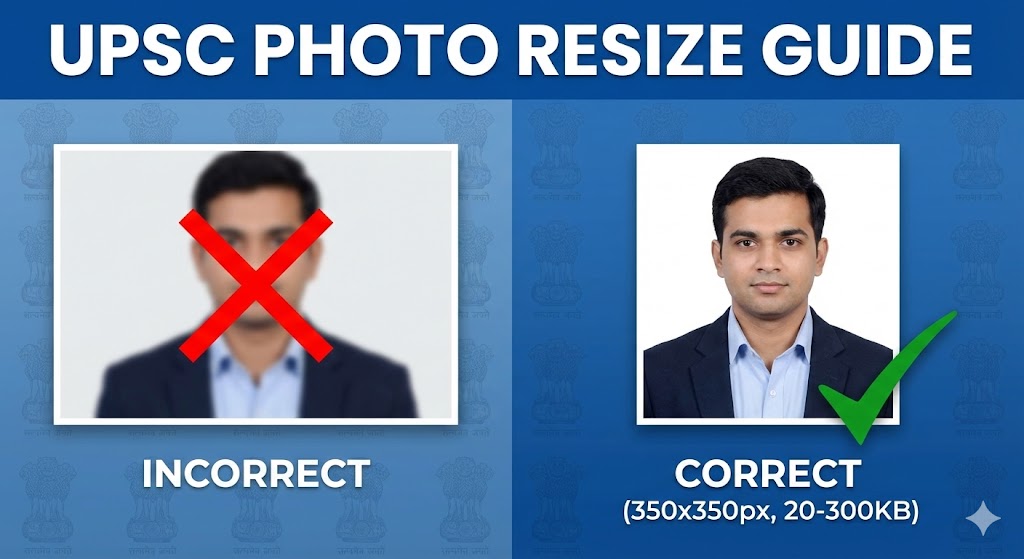

Edit photo with name and date means adding text details like a person’s name and the date directly onto a photo. This is usually done to show when the photo was taken or to identify who the photo belongs to. Instead of keeping this information separate, it becomes a visible part of the image.
People often edit photos with name and date for official records, school projects, office work, or personal memories. For example, you might add your name and today’s date to a document photo, an event picture, or a progress update image. This helps avoid confusion later and makes the photo look more organized.
The process is simple. You upload a photo, choose a font style, type your name and date, adjust the size and position, and then save the edited image. Most online tools and mobile apps make this easy, even if you have no editing experience.
In short, editing a photo with name and date is a quick way to add clarity, identity, and usefulness to your images without needing advanced design skills.

Why You Should Edit Photo with Name and Date
Editing a photo with name and date may seem like a small step, but it makes a big difference in how useful and clear your images become. Here is why it really matters.
Helps Identify Photos Easily
When you add a name and date to a photo, you instantly know who the photo belongs to and when it was taken. This is especially helpful if you have many similar images saved on your phone or computer. You do not have to guess or open extra details to understand the photo.
Useful for Official and Personal Purposes
Photos with name and date are often required for office work, school assignments, online forms, and documentation. At the same time, they are great for personal use like event memories, progress photos, or daily updates. Adding this information makes the photo more acceptable and trustworthy in many situations.
Keeps Photos Organized and Clear
Photos can get messy over time, especially when stored in folders or shared on different platforms. Editing photos with name and date helps keep everything organized. Each image tells its own story clearly, which saves time and avoids confusion later.
Overall, editing a photo with name and date is a simple habit that improves clarity, organization, and usefulness without much effort.
How to Edit Photo with Name and Date Online
Editing a photo with name and date online is quick and easy, even if you have never edited a photo before. Most online tools are designed to be simple and beginner friendly.
Uploading Your Photo to an Online Tool
Start by opening an online photo editing website. Look for an option that says upload photo or choose image. Select the photo from your device and wait for it to load. This usually takes only a few seconds, depending on the image size.
Adding Name and Date Using Text Options
Once your photo is uploaded, find the text or add text option. Click on it and type your name and the date you want to show on the photo. You can add the name and date in one line or separately, depending on your preference.
Adjusting Font, Size, and Position
After adding the text, you can change how it looks. Choose a font that is easy to read, adjust the size so it is clearly visible, and move the text to a clean area of the photo. Most tools let you drag the text with your mouse to place it exactly where you want.
Downloading the Edited Photo
When everything looks right, click the download or save button. The edited photo will be saved to your device, usually in good quality. You can now use or share the photo with the name and date clearly visible.
How to Edit Photo with Name and Date on Mobile Phone

Editing a photo with name and date on a mobile phone is very convenient because you can do it anytime and anywhere. Most Android and iPhone apps make the process simple and quick.
Using Photo Editing Apps on Android and iPhone
Start by installing a free photo editing app from the Play Store or App Store. Many apps offer a text option that lets you add words directly on your photo. Open the app and allow it to access your photos so you can choose the image you want to edit.
Steps to Add Name and Date on Mobile
Select your photo from the gallery and tap on the text option. Type your name and the date you want to add. You can change the font style, text size, and color to match the photo. Move the text to a corner or an empty area so it looks neat and easy to read.
Saving the Photo Without Losing Quality
After finishing the edit, tap the save or export option. Choose the highest quality available if the app gives you that option. This helps keep the photo clear and sharp. Once saved, your edited photo with name and date will be ready to share or use.
How to Edit Photo with Name and Date on PC or Laptop
Editing a photo with name and date on a PC or laptop gives you more screen space and better control. It is a good option if you want clean and professional-looking results.
Editing Photos Using Online Websites
Open a web browser and visit an online photo editing website. Upload your photo using the upload option. Once the image is loaded, use the text tool to add your name and date. You can easily adjust the text position using your mouse, which makes editing more precise.
Using Built-In Tools on Windows or Mac
Both Windows and Mac have built-in tools that can help with basic photo editing. On Windows, you can open the photo in the Photos app and use the edit or draw options to add text. On Mac, the Preview app allows you to add text by using the markup tools. These options are useful when you do not want to install any extra software.
Exporting the Final Image Correctly
After adding the name and date, save or export the photo in a common format like JPG or PNG. Make sure to choose good quality settings while saving. This ensures the final image stays clear and looks good when shared or printed.
Best Free Tools to Edit Photo with Name and Date
When you want to edit a photo with name and date, using the right tool makes it fast and easy. Here are the best free options you can try.
Free Online Photo Editing Websites
There are many websites that let you edit photos right in your browser. These tools let you upload your image, add text for name and date, and then download the final version. You do not need to install anything. Just open the site, choose your photo, and start editing.
Free Mobile Apps for Name and Date Editing
If you prefer doing this on your phone, there are free apps available for both Android and iPhone. These apps let you open a photo, add text with different fonts and colors, move the text around, and save or share the edited image. Most apps are easy to use and perfect for quick edits.
Tools That Do Not Require Signup
Some tools let you edit your photo without creating an account or signing up. This means you can start editing right away. These tools are great when you just need to add a name and date quickly without the extra steps of login or registration.
Using free tools like these helps you edit photos without cost and without any stress. You can choose the one that works best for you.
Tips to Edit Photo with Name and Date Professionally
Adding a name and date to a photo looks best when it is done neatly and with a little care. These simple tips can help your photo look clean and professional.
Choosing Simple and Readable Fonts
Always pick a font that is easy to read. Simple fonts work better than fancy or decorative ones, especially for official or important photos. Make sure the text is clear even when the image is viewed on a small screen.
Placing Name and Date in the Right Spot
Place the name and date where they do not cover important parts of the photo. Corners or empty areas usually work well. This keeps the focus on the photo while still making the text easy to notice.
Matching Text Color with the Photo
Choose a text color that stands out from the background. Light text works well on dark areas, and dark text works better on light areas. This helps the name and date stay visible without hurting the look of the image.
Keeping the Design Clean and Balanced
Avoid adding too much text or using very large fonts. Keep the design simple and balanced so the photo looks natural. A clean layout makes your photo look more polished and professional.
Conclusion
Editing a photo with name and date is a simple process that anyone can do with the right tools. Whether you use an online website, a mobile app, or built in tools on your PC or laptop, the steps are easy to follow and do not require any special skills.
Quick Recap of Editing Methods
You can edit photos online without installing anything, use mobile apps for quick edits on the go, or rely on computer tools for more control. Each method allows you to add name and date, adjust the text, and save the photo in good quality.
Choose the Tool That Fits Your Need
The best tool depends on how and where you want to edit. Online tools are great for fast work, mobile apps are perfect for convenience, and PC or laptop tools are ideal for careful and detailed editing.
Make Your Photos Clear and Professional
By adding a name and date neatly, your photos become easier to understand and more organized. This small step helps your images look clean, professional, and ready for both personal and official use.