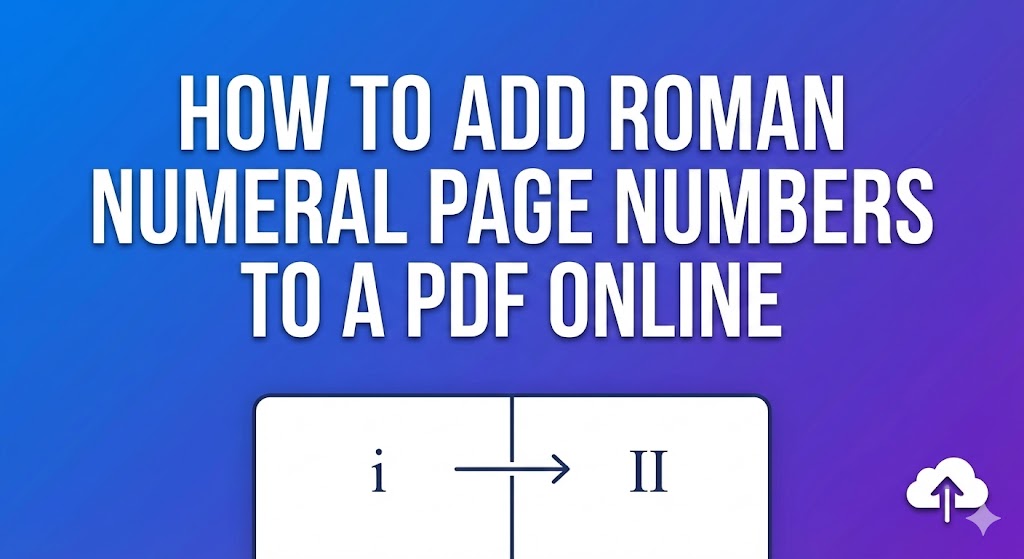

Add roman numeral page numbers to pdf online: In the world of high-stakes documentation, presentation is everything. Whether you are a university student managing complex grade sheets or a professional preparing a financial report, maintaining a clear document structure is vital. One of the most common requirements for formal documents is the use of Roman numeral numbering for front matter pages such as prefaces, tables of contents, and introductions. If you have ever wondered how to add roman numeral page numbers to pdf online without breaking your layout, this comprehensive guide is for you.
Properly paginating a document ensures that your primary content starts at page “1” while your introductory materials remain distinct. In this guide, we will explore the best methods to add roman numeral page numbers to pdf online, ensuring your files meet the highest academic formatting standards and professional expectations.

The decision to add roman numeral page numbers to pdf online is rarely about aesthetics alone; it is a functional necessity in many fields. For example, if you are studying for the CFA Level 1 exam, you will notice that extensive study modules often use lowercase Roman numerals (i, ii, iii) for the preliminary sections to separate them from the core financial theories.
Using an automated numbering tool to add roman numeral page numbers to pdf online provides several key advantages:
Logical Differentiation: It allows readers to instantly distinguish between introductory “front matter” and the main body of work.
Academic Compliance: Most universities require academic formatting standards where the title page is unnumbered, but subsequent preliminary pages use Roman numerals starting from “ii”.
Navigation Clarity: When you add roman numeral page numbers to pdf online, you make it easier for viewers to use the PDF navigation toolbar to jump to specific sections without confusion.
Professionalism: A document with polished roman numeral numbering reflects a high level of attention to detail, which is essential for legal filings and corporate reports.
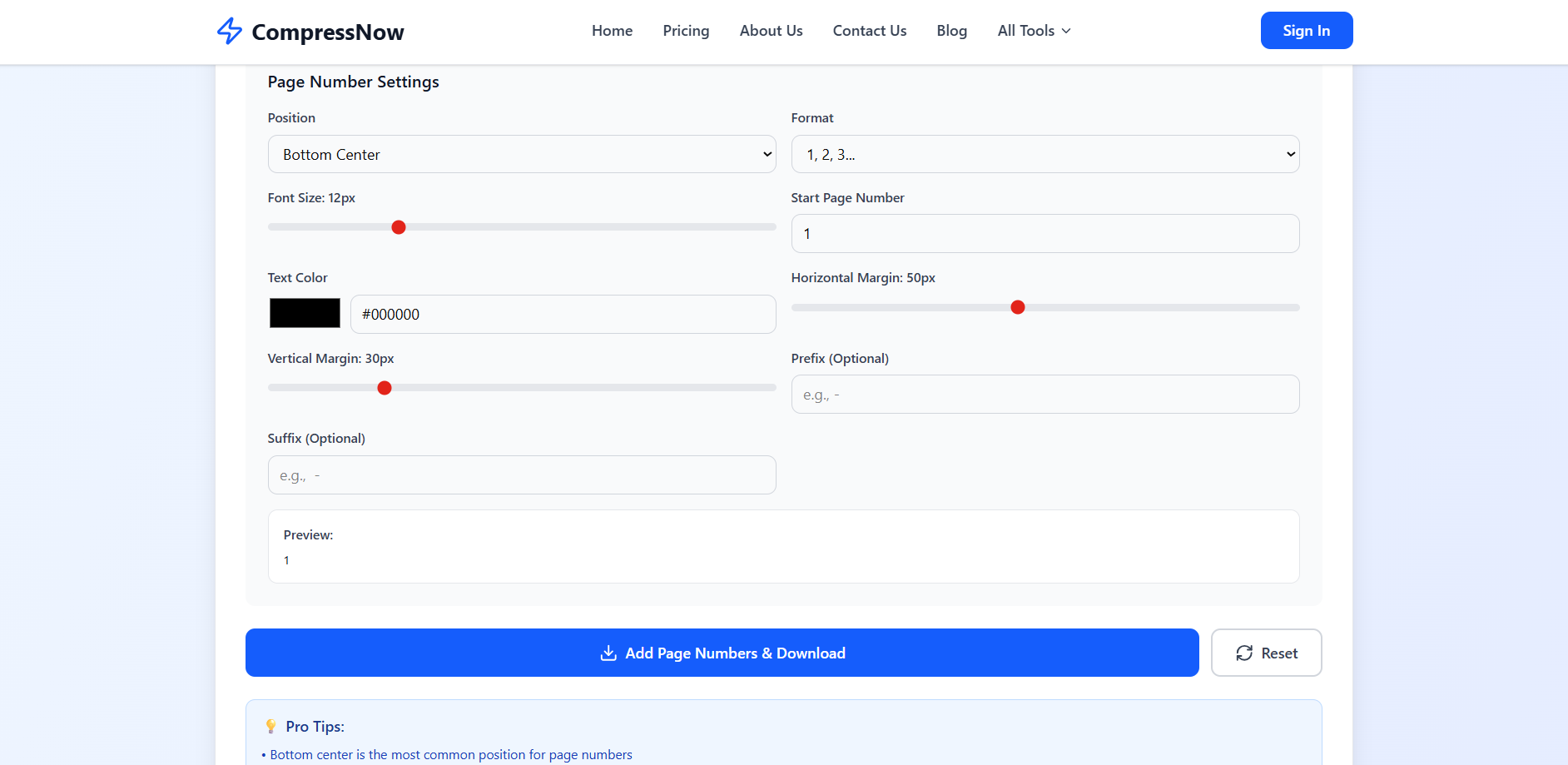
For users who need to manage PDF documents efficiently, Compressnow.in offers a seamless, browser-based solution. You don’t need to install heavy software like Adobe Acrobat to add roman numeral page numbers to pdf online.
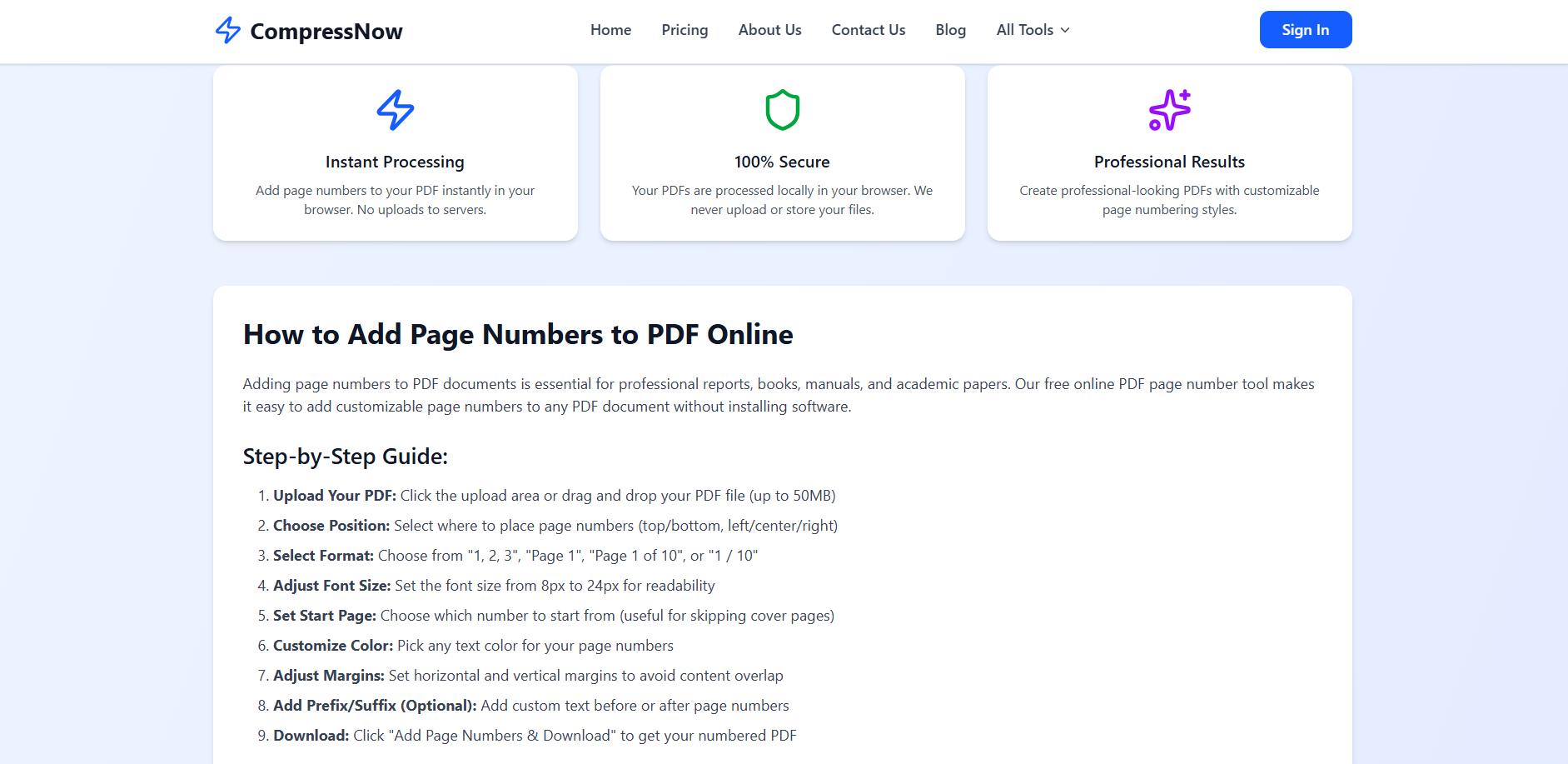
Follow these exact steps to achieve professional results:
Upload Your Document: Navigate to the tool and drag your file into the upload zone. The site supports files up to 50MB.
Access Header and Footer Tools: Once uploaded, the interface will present you with header and footer tools to customize your layout.
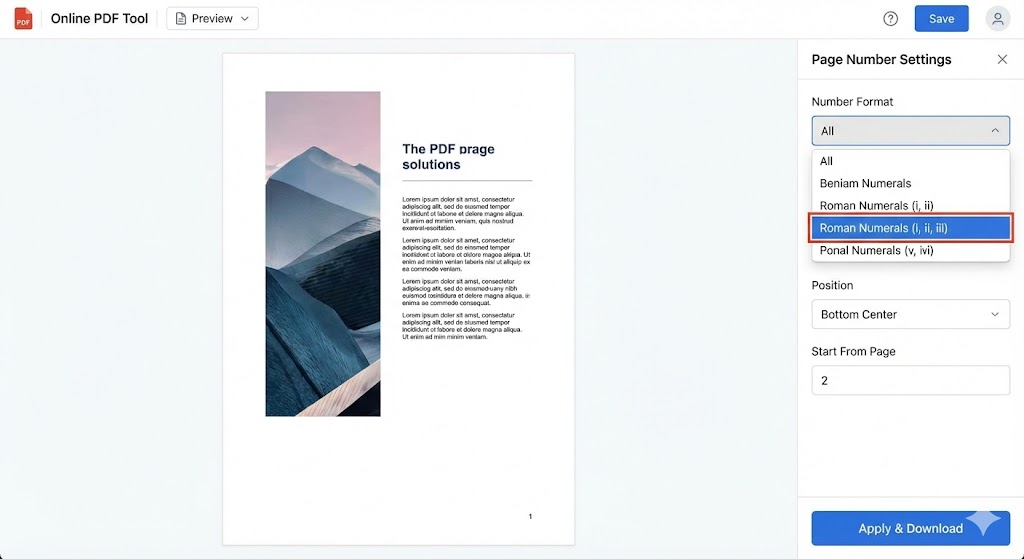
Choose the Correct Format: To add roman numeral page numbers to pdf online, look for the “Format” dropdown menu. Select the option for Roman numerals (i, ii, iii or I, II, III).
Set the Numbering Scope: If you only want to add roman numeral page numbers to pdf online for the first few pages, use the “Page Range” or “Start Page” settings to skip the cover page.
Adjust Margins and Font: Fine-tune the horizontal and vertical margins to ensure the numbers do not overlap with your text.
Preview and Download: Always use the “Preview” function to check the placement before you finalise. Once satisfied, click the download button to get your polished file.
Understanding the “why” is just as important as the “how.” Here are three scenarios where you would definitely need to add roman numeral page numbers to pdf online:
1. The Academic Dissertation
University guidelines often mandate that the Abstract, Acknowledgments, and Table of Contents be numbered with lowercase Roman numerals. By using an online PDF editor, a student can quickly add roman numeral page numbers to pdf online for these specific sections, ensuring their submission meets institutional requirements.
2. CFA Level 1 Study Guides
If you are compiling your own notes for the CFA Level 1, you might have a hundred pages of material. To keep it organized, you can add roman numeral page numbers to pdf online for the index and glossary, while using Arabic numerals for the core chapters on Economics or Ethical Standards. This mirrors the structure of official textbooks.
3. Legal and Medical Records
In legal discovery, Bates numbering is often used alongside Roman numerals to categorize different types of evidence. Paralegals frequently need to add roman numeral page numbers to pdf online to separate client correspondence from the main court exhibits.
Comparing Methods: How to Add Roman Numeral Page Numbers to PDF Online vs. Offline
While there are many ways to manage PDF documents, choosing the right tool depends on your specific needs.
| Feature | Compressnow.in (Online) | Adobe Acrobat Pro (Desktop) |
| Ease of Use | High; no installation required. | Medium; requires software knowledge. |
| Cost | Free for basic use. | Paid subscription. |
| Speed | Instant processing in browser. | Slower; software must load. |
| Security | 100% secure; processed locally. | Secure; offline processing. |
| Roman Numerals | Supports i, ii, iii and I, II, III. | Full support for roman numeral numbering. |
For those who want to add roman numeral page numbers to pdf online quickly, the online approach is almost always superior for one-off tasks or when working from a mobile device.
Advanced Design: Using a Circle Frame Editor
Sometimes, you don’t just want a crop; you want a border. A simple crop cuts the image, but a border adds a colored ring around it. While basic tools crop, a sophisticated Circle frame editor allows you to add a stroke.
If you are using Compressnow.in, you can achieve the shape. To add a colored border (stroke), you might need to combine this with a CSS effect or a secondary edit. However, the most difficult part—getting the perfect cut—is solved when you Add circle border to image online using the rounded corners tool set to maximum.
Ensuring Privacy: Why Choose a Secure Online PDF Editor?
A common worry when users try to add roman numeral page numbers to pdf online is whether their data remains private. At Compressnow.in, the priority is your security. The tool utilizes instant processing that happens locally in your browser. This means your sensitive files—like those containing personal grades or financial data—are never stored on external servers.
Additionally, if you have a preference for clean documents, you will be happy to know that this tool does not add a watermark to your final output. This is a critical feature for anyone who needs to add roman numeral page numbers to pdf online for a professional submission where branding matters.
Pro Tips for Roman Numeral Numbering in PDF Documents
To get the most out of your automated numbering tool, keep these tips in mind when you add roman numeral page numbers to pdf online:
Mind the Case: Lowercase (i, ii) is standard for front matter pages, while uppercase (I, II) is often used for high-level outlines or major section dividers.
Skip the Cover: Most academic formatting standards specify that the very first page should be unnumbered, even if the count technically starts from it. You can configure this in your header and footer tools.
Check Accessibility: Consistent PDF organization helps assistive technologies navigate your file more predictably. To learn more about digital document standards, you can visit the W3C Web Accessibility Initiative.
Font Consistency: Ensure the font size and style of your page numbers match the rest of your professional documents.
Streamlining Collaborative Workflows: Managing PDF Files in Teams
In a modern office environment, professional documents are rarely the work of a single individual. Often, multiple departments contribute to a final report, leading to a fragmented PDF organization process. When teams collaborate, knowing how to add page numbers to a pdf becomes a critical final step in the “assembly” phase. By using a shared PDF editor, team leads can ensure that separate contributions—such as an executive summary from the CEO and data tables from the finance team—are merged and then paginated consistently. This prevents the unprofessional look of “restarted” page counts and ensures that the page headers and footers maintain a unified brand identity across the entire file. Utilizing free PDF tools like Compressnow.in allows every team member to perform these checks without needing individual software licenses, significantly speeding up the approval cycle.
Tailoring Numbering for Specialized Documents: Manuals and eBooks
Not all documents follow a standard linear structure, and specialized files like technical manuals or eBooks require a more nuanced approach to document formatting. For these projects, you might need to insert page numbers that include section identifiers, such as “A-1” or “Appendix-1.” This advanced level of PDF organization helps users navigate dense technical material where standard numerals might be confusing. When you add roman numeral page numbers to pdf online for the preface and then transition to these specialized identifiers for the back matter, you create a high-utility document that serves as a functional tool for the reader. Most automated numbering tools now allow for this level of prefix and suffix customization, giving you the power to create professional results that rival high-end publishing houses.
The Importance of Pagination for Digital Archiving and Accessibility
As we move toward a paperless future, digital archiving has become a priority for businesses and government agencies alike. For a document to be truly “archival-grade,” it must be easily searchable and accessible to all users, including those using screen readers. Properly learning how to add page numbers to a pdf is a fundamental part of making a document “accessible.” When you use a PDF editor to apply logical page numbering, you are essentially creating metadata that helps assistive technologies understand the document structure. This ensures that an archived report from five years ago is just as easy to navigate today as it was when it was first created. By choosing a free PDF tool that offers instant processing without adding watermarks, you ensure your archived files remain clean, compliant, and easy to retrieve for decades to come.
Final Thoughts on Professional PDF Organization

Learning how to add roman numeral page numbers to pdf online is a small skill that yields massive dividends in professionalism. From complying with strict academic formatting standards to organizing complex front matter pages for a business report, the right pagination makes all the difference.
By using a reliable online PDF editor like Compressnow.in, you can manage PDF documents with confidence. The platform’s instant processing ensures you get professional results without compromising your privacy or dealing with unwanted watermarks. Whether you are a student, a lawyer, or a researcher, the ability to add roman numeral page numbers to pdf online quickly and accurately is an essential part of your digital toolkit.
Next time you find yourself stuck with a messy, unnumbered report, remember that a few clicks can transform it into a perfectly formatted masterpiece. Take control of your document structure and start using an automated numbering tool to add roman numeral page numbers to pdf online today.
Can I switch from Roman numerals back to Arabic numbers mid-document?
Yes. To do this, you generally need to split your PDF into sections, add roman numeral page numbers to pdf online for the first part, and then add standard numbers to the second part before merging them back together.
Does it cost anything to add roman numeral page numbers to pdf online?
Most basic features on Compressnow.in are free to use. This makes it an ideal free PDF tool for students and freelancers.
What happens if I reorder my pages after numbering?
Unfortunately, if you move pages around, the numbers will no longer be accurate. It is always best to finalize your document structure before you add roman numeral page numbers to pdf online.
Is it possible to add roman numeral page numbers to a PDF on a mobile device?
Yes, you can easily add roman numeral page numbers to pdf online using a mobile browser on your smartphone or tablet. Since tools like Compressnow.in are web-based, they do not require any software installation and are fully optimized for mobile use. You simply upload your document from your phone’s storage or a cloud service like Google Drive, select the Roman numeral format, and the tool will provide instant processing to generate your numbered file. This makes it a perfect solution for students or professionals who need to manage document structure while on the go.
Need to Compress or Convert Files?
Try CompressNow.in - Free, Fast & Secure file compression and conversion tools!

Author Bio – Tanishk Singh
Tanishk Singh is a Digital Marketing Strategist, SEO Specialist, and Web Technology Expert with over 4+ years of hands-on experience in building, ranking, and monetizing high-performance web platforms.
He has helped scale organic traffic for multiple education and SaaS websites, including increasing Shoolini Online’s SEO traffic from 800 to 20,000+ users in just 2.5 months using advanced content architecture, AI-driven SEO, and Google SGE optimization.
Tanishk specializes in creating AI-powered web tools, performance-optimized platforms, and SEO-focused websites that rank, convert, and generate consistent revenue.