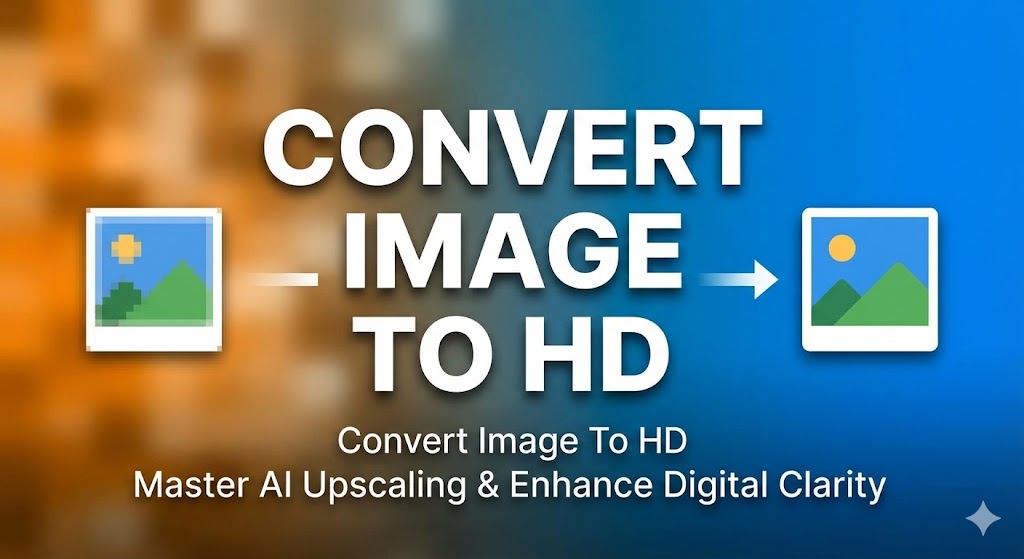

How to convert image to hd: In the fast-paced world of digital media, the difference between a successful project and a missed opportunity often comes down to visual quality. As screens become sharper and more demanding, learning how to convert image to hd has transitioned from a niche skill for graphic designers to a fundamental requirement for everyone. Whether you are a small business owner, an aspiring influencer, or someone looking to preserve old memories, the clarity of your images dictates your professional standing. This comprehensive guide will walk you through every nuance of the conversion process, ensuring your visuals never look pixelated or amateurish again.

The Visual Revolution: Why High Definition is No Longer Optional
We are living in an era of ultra-high resolutions. From 4K smartphones to 8K televisions, the expectation for Digital clarity is at an all-time high. A low-resolution photo on a high-density screen appears blurry, dated, and unprofessional. When you master how to convert image to hd, you aren’t just making a file larger; you are rebuilding its integrity to meet modern viewing standards.
For businesses, the stakes are even higher. Research in e-commerce consistently shows that sharp, high-resolution product photography is a direct driver of consumer trust and conversion rates. If a customer cannot see the fine details of a product, they are far less likely to purchase it. By implementing how to convert image to hd strategies, you ensure that every pixel works toward building your brand’s authority.
Understanding the Tech: Upscaling vs. Traditional Resizing
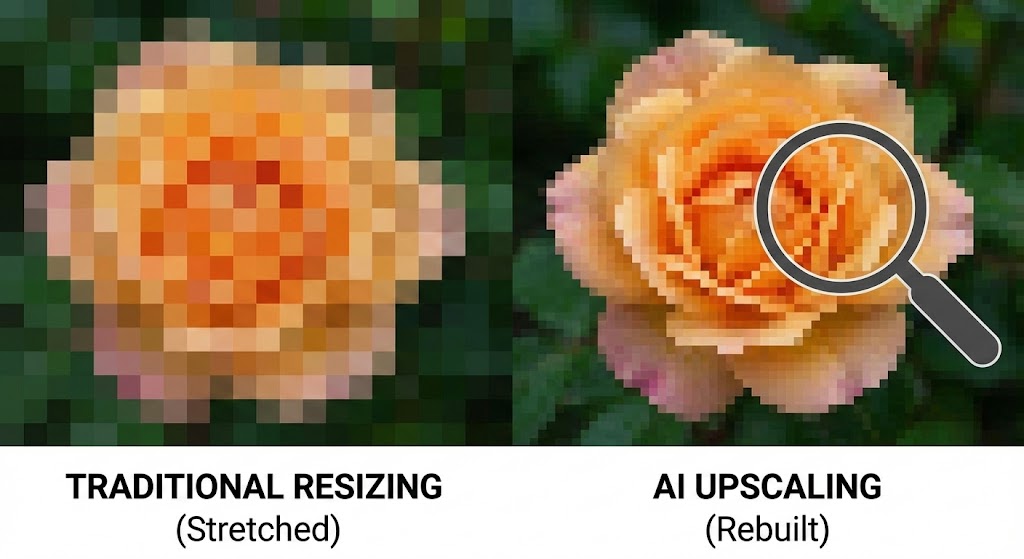
One of the biggest misconceptions in digital imaging is that “enlarging” and “converting to HD” are the same thing. They are not. Traditional resizing simply stretches existing pixels to fill a larger space, which inevitably leads to a blocky, “soft” appearance.
Modern how to convert image to hd techniques rely on AI upscaling. Unlike simple stretching, AI-driven tools use deep learning models to analyze the structures within a photo—such as the texture of skin, the fine lines of a leaf, or the sharp edges of text—and then “predict” and create new pixels to fill the gaps. This process results in a significant boost in resolution while maintaining the natural look of the original shot.
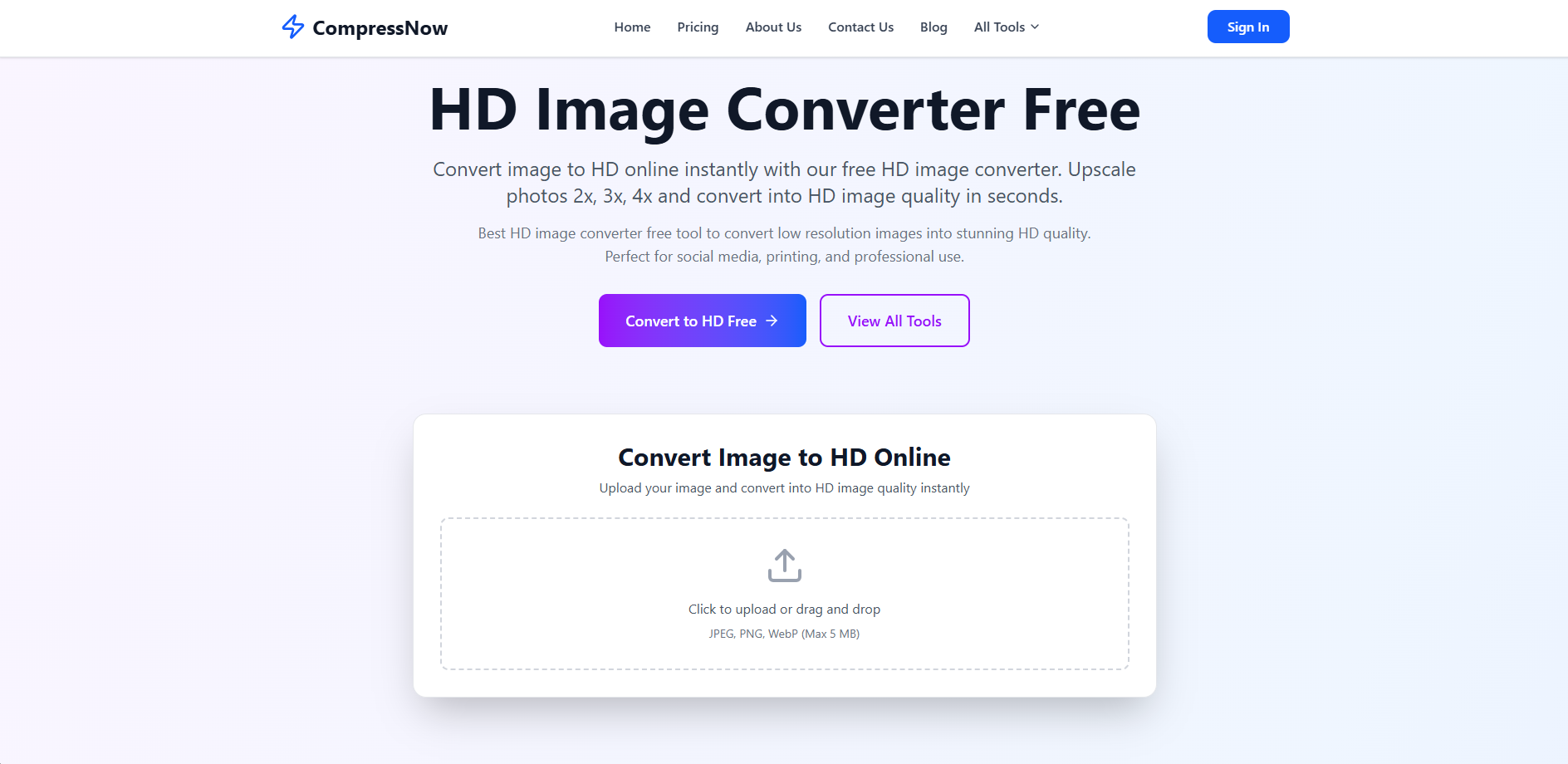
When deciding how to convert image to hd, your choice of tool should depend on your specific needs, volume, and technical expertise.
Online Photo Enhancers: These are perfect for quick, high-quality results without the need for complex installations. Sites like Compressnow.in provide a secure environment where processing happens instantly in your browser.
Professional Suites: For those who need granular control over every aspect of an image, software like Adobe Photoshop is the gold standard. It offers advanced features like “Super Resolution” to dramatically increase Pixel density.
Mobile Apps: Ideal for social media creators who need to how to convert image to hd while on the move, offering one-tap enhancements.
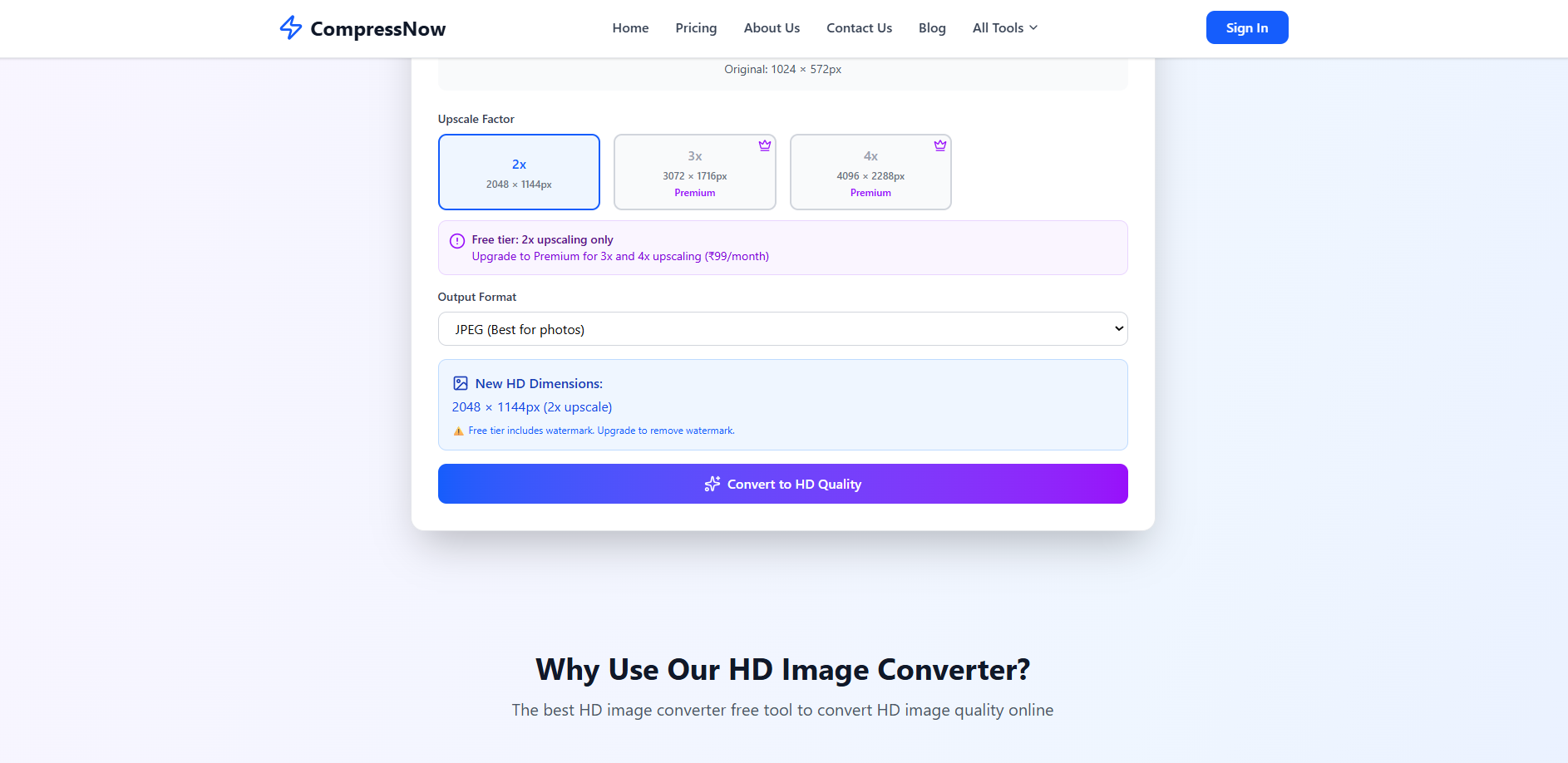
For users looking for a balance between speed and quality, Compressnow.in offers a specialized HD conversion tool. This platform is particularly valued because it handles image enhancement locally in your browser, meaning your private files are never stored on a third-party server.
1. Upload Your Source File
Navigate to the “HD Image Converter Free” section. You can simply drag and drop your JPEG, PNG, or WebP files into the designated area. For the best results when learning how to convert image to hd, always start with the highest-quality version of the file you have, even if it is currently small.
2. Select Your Upscale Factor
Once your image is ready, you will see options to increase the resolution. On the free tier, you can typically perform a 2x upscale, while premium options allow for 3x or even 4x enhancement. Selecting a 2x upscale effectively doubles the width and height of your photo, significantly boosting its High-resolution potential.
3. Choose the Output Format
Before finalizing your how to convert image to hd task, select your output format. For photographs, JPEG is usually best for a balance of quality and size. However, if you are working with graphics or logos, consider a Lossless format like PNG to preserve every newly created detail without compression artifacts.
4. Process and Download
Click the “Convert to HD Quality” button. The AI will immediately begin its Sharpness correction work. Within seconds, your “New HD Dimensions” will be displayed. You can then download the resulting file, which will be noticeably sharper and more detailed than the original.
The Science of Digital Clarity: Key Technical Factors
To truly master how to convert image to hd, you must look beyond just the resolution numbers. Several technical factors contribute to what the human eye perceives as “quality.”
Managing Digital Grain through Denoising
One of the most common issues when upscaling low-light or old photos is digital noise. Noise appears as grainy, colored speckles that can ruin a shot. Effective how to convert image to hd workflows always involve a stage of Denoising. This removes the grain before the AI begins rebuilding the details, preventing the tool from accidentally “sharpening” the noise into unsightly artifacts.
Optimizing Pixel Density for Print
If your goal in learning how to convert image to hd is for physical printing, you must pay attention to Pixel density. For a standard photo print to look sharp, it generally needs a resolution of 300 DPI (Dots Per Inch). If your image has too few pixels, the print will look blurry regardless of the paper quality. Converting to HD allows you to artificially increase this density, making smaller digital files “print-ready” at larger sizes.
Vector Conversion for Infinite Scaling
While AI upscaling is incredible for photos, it is not always the best choice for logos or text-based graphics. In these cases, you might want to look into Vector conversion. Vectors use mathematical paths rather than pixels, meaning they can be scaled to any size—from a business card to a billboard—without ever losing Digital clarity.
Example 1: The Heritage Archiving Project Imagine you have a 20-year-old digital photo of a late relative. At the time, it was taken on a 1.2-megapixel camera. On a modern 5K monitor, it looks like a collection of colored squares. By applying Photo restoration and how to convert image to hd techniques, you can upscale that memory to a crisp 5-megapixel file, effectively “bringing it back to life” for the next generation.
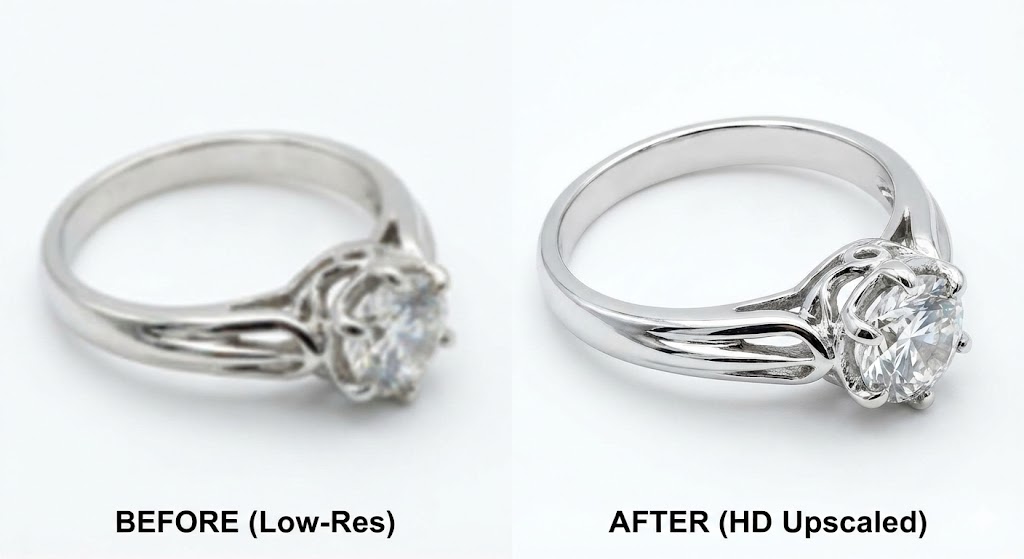
Example 2: The E-commerce Pivot A startup is launching a new line of handmade jewelry but only has rough prototype photos taken in poor lighting. By utilizing an online photo enhancer like Compressnow.in, they can perform Sharpness correction and how to convert image to hd to showcase the intricate textures of the silver and gemstones, making the product listing look high-end and professional.
Example 3: Social Media Branding A content creator wants to use a screenshot from a video as a YouTube thumbnail. Standard screenshots are often slightly blurry due to motion. By knowing how to convert image to hd, the creator can upscale the frame, apply a light image enhancement filter, and ensure their thumbnail looks as sharp as the 4K video itself, driving higher click-through rates.
Comparison: Leading HD Conversion Methods
| Method | Best For | Typical Result |
| AI Upscaling (e.g., Compressnow.in) | Photos, Portraits, Textures | Sharp, detailed, and realistic reconstruction. |
| Traditional Interpolation | Basic resizing for web | Softer edges, potential for visible pixelation. |
| Super Resolution (Photoshop) | Professional Print / Fine Art | High-fidelity enhancement with granular control. |
| Vector Conversion | Logos, Icons, Typography | Infinite scalability with zero loss in quality. |
Advanced Tips for Professional Results
Start with RAW: Whenever possible, use RAW files for your how to convert image to hd projects. RAW data contains much more information than compressed JPEGs, giving the AI a better foundation to build from.
The 30% Rule: If you are using traditional resizing rather than AI, try not to increase the dimensions by more than 30%. Beyond this point, the loss in quality becomes too noticeable to ignore.
Layer Your Enhancements: Sometimes, it is better to upscale in smaller increments (e.g., 1.5x twice) rather than one massive 4x jump to maintain a more natural look.
Consult Professional Standards: To understand the deeper history of how digital imaging has evolved, you can explore the International Organization for Standardization (ISO) guidelines on digital photography.
Conclusion: Elevating Your Visual Identity
Mastering how to convert image to hd is no longer a luxury—it is a digital necessity. Whether you are using the instant AI upscaling power of Compressnow.in or the manual precision of Photoshop, the goal remains the same: to present your work with the highest possible Digital clarity.
By understanding the technical underpinnings like Pixel density, Denoising, and the importance of a Lossless format, you empower yourself to take any low-quality file and turn it into a high-impact asset. The tools are at your fingertips, and the technology is more accessible than ever before. Don’t let your projects be held back by subpar resolution. Start applying these how to convert image to hd techniques today and watch your digital presence transform.
Is it possible to convert a tiny 100x100 pixel image to 4K HD?
While modern AI is impressive, it cannot create detail out of thin air if there is almost zero data to begin with. A massive upscale from a tiny source will often look “painterly” or unnatural. Always try to start with a source that has at least some recognizable structures.
Does "HD" always mean 1920x1080?
In video, yes. However, in photography, “HD” is often used more broadly to refer to High-resolution images that are sharp on modern displays. This can include 4K (3840×2160) or even higher resolutions suitable for large prints.
Will my file size increase when I how to convert image to hd?
Yes. Because you are literally adding more pixels (and therefore more data) to the file, the size will naturally increase. Using a Lossless format like PNG will result in a much larger file than a compressed JPEG.
Can I batch-process multiple images to HD?
Many modern online photo enhancers and desktop tools offer batch processing features. This allows you to upload an entire folder of low-res images and how to convert image to hd in one go, saving significant time for larger projects.
Need to Compress or Convert Files?
Try CompressNow.in - Free, Fast & Secure file compression and conversion tools!

Author Bio – Tanishk Singh
Tanishk Singh is a Digital Marketing Strategist, SEO Specialist, and Web Technology Expert with over 4+ years of hands-on experience in building, ranking, and monetizing high-performance web platforms.
He has helped scale organic traffic for multiple education and SaaS websites, including increasing Shoolini Online’s SEO traffic from 800 to 20,000+ users in just 2.5 months using advanced content architecture, AI-driven SEO, and Google SGE optimization.
Tanishk specializes in creating AI-powered web tools, performance-optimized platforms, and SEO-focused websites that rank, convert, and generate consistent revenue.