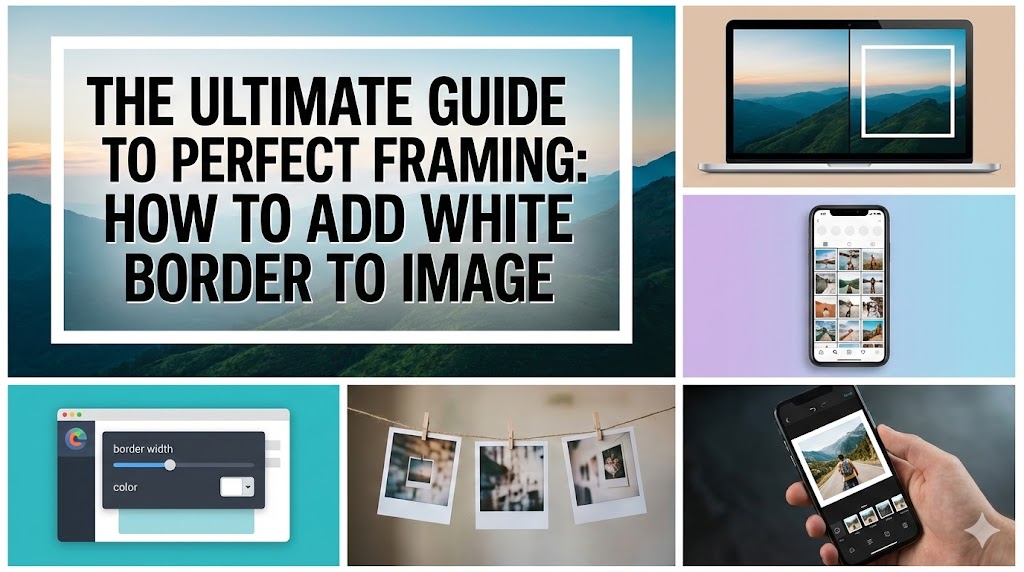


Add White Border to Image: In the visually saturation world of social media and digital portfolios, standing out requires more than just a high-quality camera. It requires presentation. One of the most timeless, elegant, and functional editing techniques used by influencers, photographers, and designers is the decision to add white border to image. Whether you are looking to fix aspect ratio issues on Instagram or simply want to create a breathable, gallery-like aesthetic for your feed, this simple edit can transform a cluttered gallery into a cohesive visual narrative.
This guide will walk you through everything you need to know, from the psychology of aesthetics to the technical steps required to add white border to image using various tools, including a spotlight on efficient online solutions like Compressnow.in.
Why You Should Add White Border to Image for Social Media
The trend to add white border to image began primarily as a solution to a technical problem: the dreaded automatic crop. Platforms like Instagram notoriously compressed or cropped photos that didn’t fit their strict social media aspect ratios. However, what started as a utility quickly evolved into a stylistic choice.
When you add white border to image, you are essentially creating a digital matte. In the art world, a matte is used to separate the artwork from the glass of the frame, providing visual breathing room. On a mobile screen, this negative space prevents your photo from feeling cramped. It draws the eye inward toward the subject.
Furthermore, utilizing Instagram grid aesthetics is crucial for growth. A user browsing your profile sees the grid before they see individual posts. If your photos have different crops—some vertical, some square, some horizontal—the grid looks chaotic. When you add white border to image, you force every thumbnail to be a perfect square (usually), regardless of the photo’s original orientation. This creates a consistent feed theme that looks professional and curated.
Real-Life Example: The Wedding Photographer
Consider a real-life example: Sarah, a wedding photographer. She shoots landscapes (wide shots of venues) and portraits (close-ups of the couple). If she uploads these directly to Instagram, the vertical portraits take up more screen space than the landscapes, and the grid looks jagged. By deciding to add white border to image for every single shot, she ensures that a wide landscape sits in the middle of a square white canvas, and a vertical portrait sits in a vertical white canvas. The result? A portfolio that looks like a high-end art gallery catalog rather than a camera roll dump.
How to Add White Border to Image Using Online Tools
The easiest way to achieve this look without heavy software is to use web-based utilities. You don’t need to install gigabytes of software just to add white border to image. Online tools are generally faster, accessible from any device, and free.
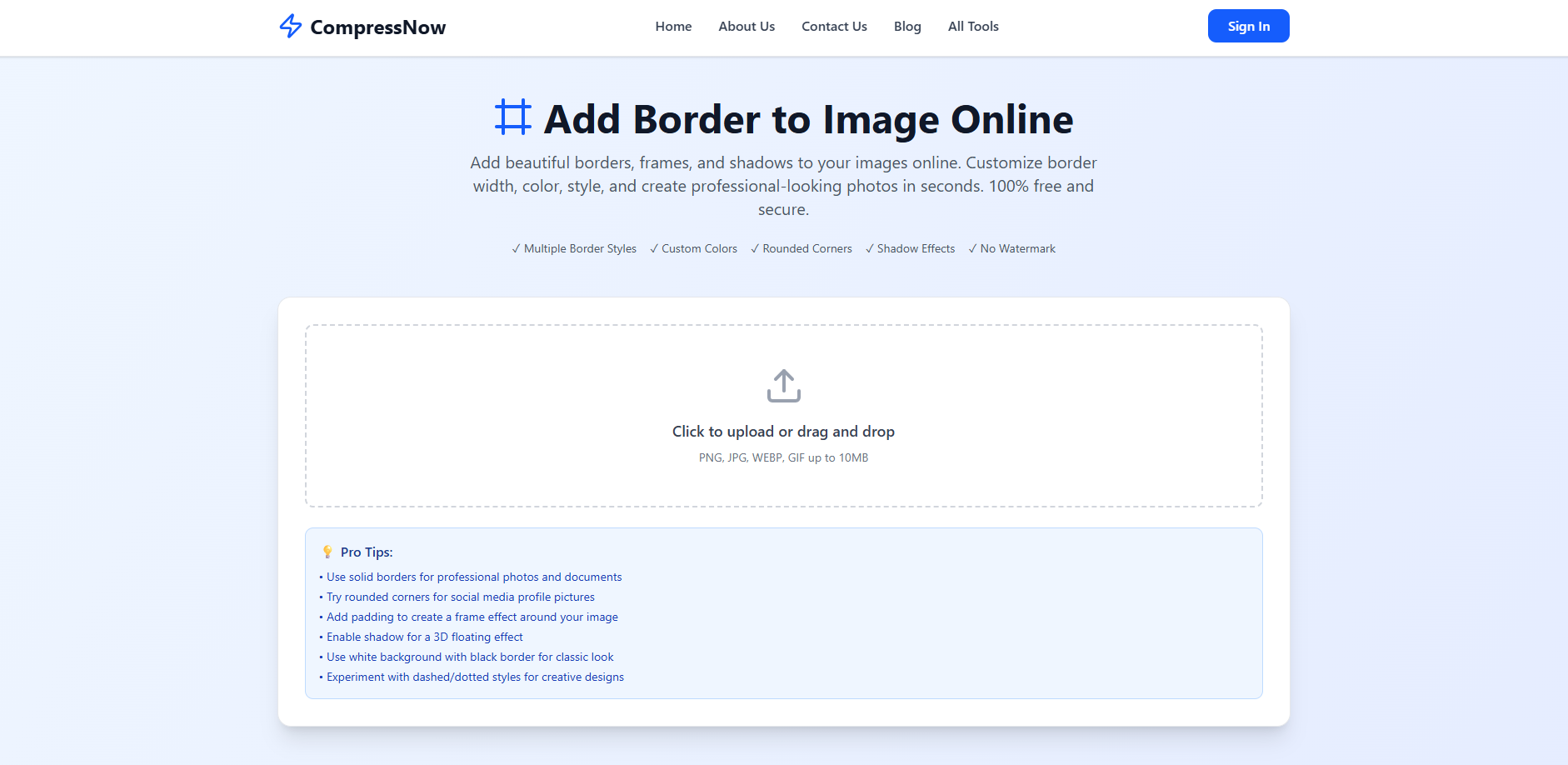
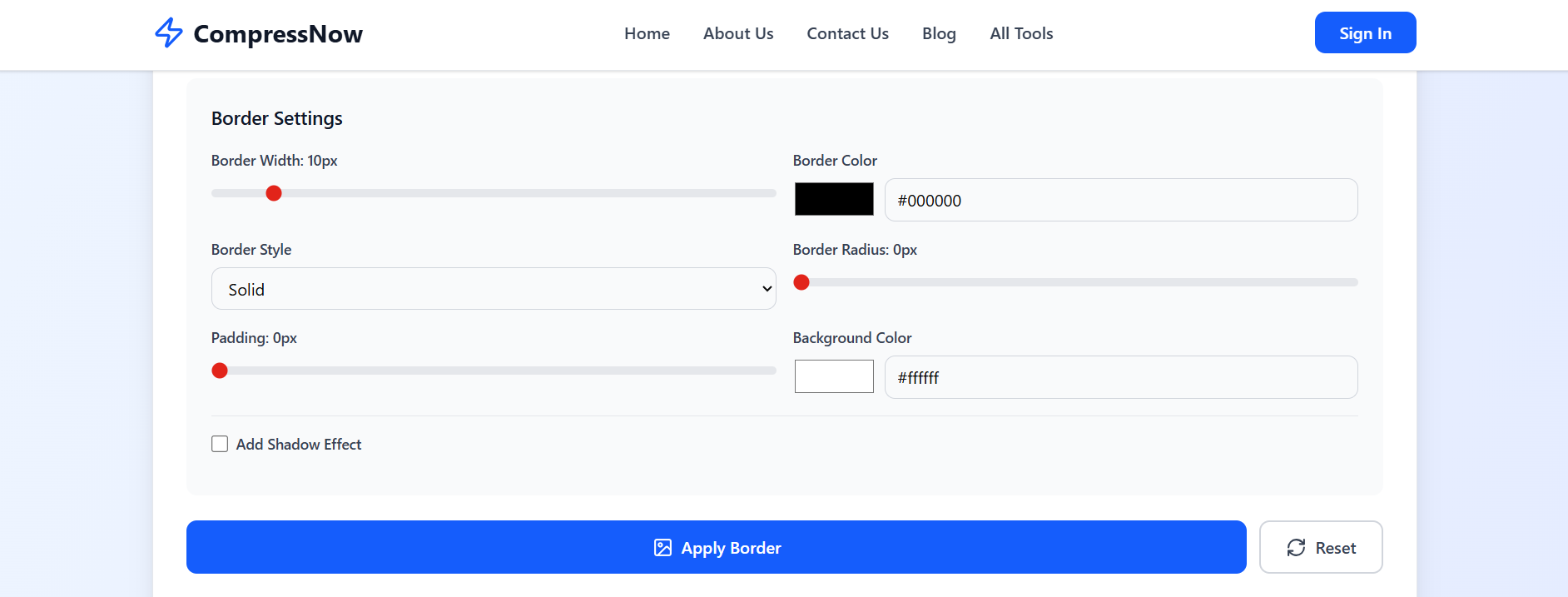
This is where platforms like Compressnow.in shine. While many know it for compression, their specialized tool to add white border to image is incredibly robust. As seen in the interface, it allows for a streamlined workflow where you can upload formats like PNG, JPG, WEBP, and GIF up to 10MB.
When you use a simple photo editor like this, you aren’t just slapping a frame on; you get control. As the screenshot above highlights, you can customize border width, style, and even create professional visual identity by using specific hex codes for your borders if you don’t want pure white.
The Aesthetic Benefits When You Add White Border to Image
Why is white the dominant color? Why not black or neon green? While you can use any color, the choice to add white border to image is rooted in minimalism. White reflects light and is neutral. It doesn’t compete with the colors in your photograph.
Focus Enhancement: A photo framing online technique using white acts as a spotlight.
Color Pop: If your photo is dark or moody, the contrast against the white border makes the blacks look deeper.
Vintage Appeal: It mimics the Polaroid effect. Old instant film always had that iconic white space at the bottom. When you add white border to image, you tap into that nostalgia, making digital photos feel tangible and printed.
Step-by-Step: Add White Border to Image with CompressNow
Let’s get technical. If you want to use Compressnow.in to add white border to image, the process is designed to be intuitive.
Upload: Navigate to the tool. As indicated in the “Pro Tips” section of the site, you can drag and drop your files.
Adjust Settings: You aren’t limited to a fixed size. You can adjust the padding. This is technically known as image padding. Adding padding scales the image down and fills the empty space with your chosen color.
Style It: The tool offers “Multiple Border Styles” and “Rounded Corners.” If you are using the image for a profile picture (like on LinkedIn or WhatsApp), rounding the corners can make the image blend better with circular UI elements.
Download: Once you add white border to image, you can download it without a watermark, which is a significant advantage over many “freemium” apps that stamp their logo on your work.
The site also suggests enabling shadow for a “3D floating effect.” This is a great variation. Instead of a flat border, the shadow makes the photo look like it is hovering over the white background, adding depth to your digital photo borders.
Best Apps to Add White Border to Image on Mobile
While desktop tools are great for batch editing, sometimes you are on the go. You need a no crop tool immediately after taking a selfie. There are several mobile applications designed to add white border to image.
Apps like VSCO, Snapseed, and Whitagram are popular. They function similarly to the web tools but rely on touch gestures. However, a common frustration with mobile apps is that they often reduce the resolution of your file. This is why a browser-based solution like Compressnow.in is often preferred by professionals—it handles files up to 10MB, ensuring that when you add white border to image, you don’t lose the crispness of the original shot.
Advanced Tips to Add White Border to Image for Professionals
For graphic designers and social media managers, the request to add white border to image often comes with strict brand guidelines.
Consistency is Key: Do not eyeball the border thickness. If your Monday post has a 5% border and your Tuesday post has a 10% border, the Instagram grid aesthetics will break. Use tools that allow you to set a specific pixel width or percentage.
The 4:5 Ratio: Instagram prefers vertical images in a 4:5 ratio. If you have a square image (1:1), you can add white border to image on the top and bottom to turn it into a 4:5 vertical post. This takes up more real estate on the user’s phone screen, increasing the likelihood of engagement.
Color Matching: While white is standard, sometimes an “off-white” or “cream” border looks more sophisticated. Use a color picker to sample a light tone from the image itself and use that for the border. This creates a seamless transition.
For those who require granular control, industry-standard software is the next step. Photoshop allows for automation. You can record an “Action” to add white border to image and apply it to a folder of 500 photos in seconds.
To do this in Photoshop, you generally use the “Canvas Size” command. You check the “Relative” box and type in the number of pixels you want to add to the width and height. This extends the canvas outward. For a detailed guide on using professional software for this, you can check this tutorial on Changing Canvas Size in Adobe Photoshop. While powerful, this method is often overkill for someone who just wants to post a nice photo, which is why simpler online tools remain superior for daily use.
Common Mistakes When You Add White Border to Image
Even with a simple task, things can go wrong. Here are the pitfalls to avoid when you add white border to image:
Inconsistent Ratios: As mentioned, mixing border widths looks messy.
Ignoring the Background: If you post a photo with a white border on a platform that has a white background (like a standard blog), the border disappears, and the image just looks smaller. In these cases, you might want to add a subtle “Drop Shadow” (a feature available on Compressnow.in) to separate the white border from the white webpage.
Over-framing: If the border is too thick, the image becomes too small to see, especially on mobile devices. A good rule of thumb when you add white border to image is to keep the border between 5% and 10% of the total width.
Why Influencers Love to Add White Border to Image
Influencers are essentially personal brands. A recognizable look is their currency. Many have adopted the “white border” look as a signature. It signals that the image was edited, considered, and curated. It is a psychological trigger that tells the audience, “This is high-quality content.”
Moreover, the no crop instagram issue is real for influencers who model fashion. If they take a full-body shot, Instagram’s native crop might cut off their shoes or head. By choosing to add white border to image, they ensure the entire outfit is visible within the square or vertical frame. It preserves the integrity of the composition.
Enhancing Art with Shadows and Frames
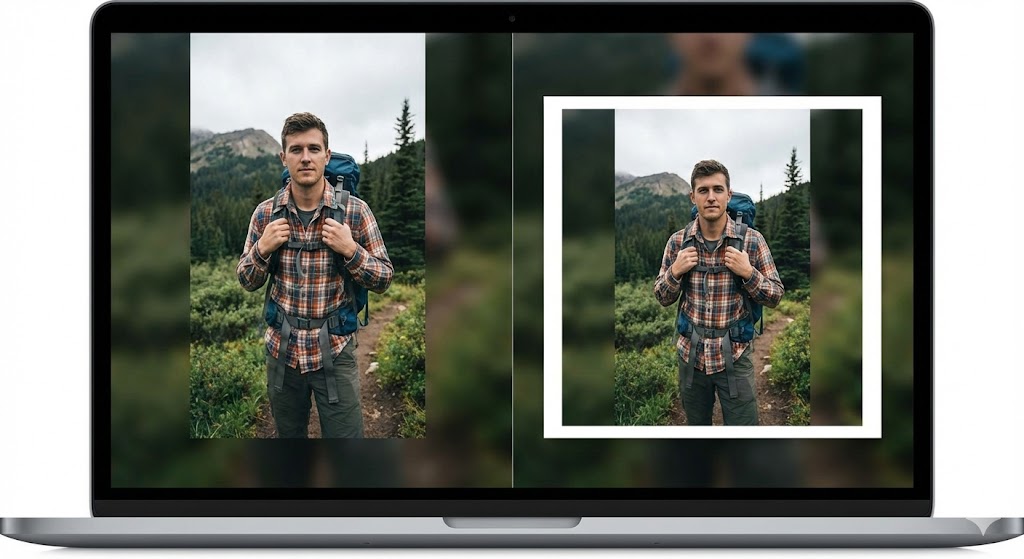
When you add white border to image, you are not limited to 2D flat styles. As noted in the CompressNow features, enabling a shadow creates a 3D floating effect. This is particularly popular for screenshots of software or digital products. It makes the image pop off the screen.
Experimenting with dashed or dotted styles (another Pro Tip from the website) can add a playful, scrapbook vibe. This is excellent for creative industries, like crafting blogs or teacher resources. It moves away from the sleek, modern look and toward a creative design layout.
Conclusion: The Easiest Way to Add White Border to Image
In the digital age, presentation is everything. Whether you are a professional photographer looking to standardize your portfolio, an influencer curating a grid, or a casual user who just doesn’t want their family photo cropped awkwardly, the solution is to add white border to image.
It is a technique that combines the Polaroid effect nostalgia with modern social media aspect ratios utility. While heavy software like Photoshop exists, the rise of accessible, browser-based tools has democratized design.
Websites like Compressnow.in have made it easier than ever to add white border to image without watermarks, cost, or complex installations. With features like custom colors, rounded corners, and shadow effects, you have all the tools needed to create a professional, polished look in seconds. So, the next time you are about to upload a photo, pause and consider: would this look better with a frame? The answer is almost always yes. Start framing your digital world today and watch your aesthetic engagement soar.
Can I add a white border to an image without losing quality?
Yes. When you use a specialized tool like Compressnow.in, it adds the border by expanding the canvas size rather than stretching or compressing the original pixels. This ensures your social media aspect ratios are met while maintaining the original resolution of your photo.
What is the best border size to use for Instagram?
For Instagram grid aesthetics, a border thickness of 5% to 10% of the image’s width is generally recommended. This provides enough whitespace to create the “gallery look” without overpowering the subject. If you are trying to fit a square image into a vertical 4:5 slot, you may need a thicker border on the top and bottom.
Do I need expensive software like Photoshop to add borders?
No. While Photoshop gives you granular control, free online tools are often faster and easier for this specific task. Using a simple photo editor allows you to upload, adjust image padding, and download the result instantly without installing heavy software.
Why should I add a white border instead of a black or colored one?
While you can use any color, people choose to add white border to image because white is neutral and mimics the classic Polaroid effect. It creates a clean, breathable boundary that separates your image from the potentially cluttered background of social media feeds, enhancing the professional visual identity of your profile.
Need to Compress or Convert Files?
Try CompressNow.in - Free, Fast & Secure file compression and conversion tools!

Author Bio – Tanishk Singh
Tanishk Singh is a Digital Marketing Strategist, SEO Specialist, and Web Technology Expert with over 4+ years of hands-on experience in building, ranking, and monetizing high-performance web platforms.
He has helped scale organic traffic for multiple education and SaaS websites, including increasing Shoolini Online’s SEO traffic from 800 to 20,000+ users in just 2.5 months using advanced content architecture, AI-driven SEO, and Google SGE optimization.
Tanishk specializes in creating AI-powered web tools, performance-optimized platforms, and SEO-focused websites that rank, convert, and generate consistent revenue.