
Is Online Image Compression Safe-In the digital age, where visual content reigns supreme, the need to reduce image size is more critical than ever. Whether you are a web developer trying to improve website loading speed or a photographer looking to save storage space, compression tools are indispensable. However, a lingering question remains for many users: Is Online Image Compression Safe? This guide explores the depths of image optimization, the mechanics of compression algorithms, and the security protocols that determine whether Is Online Image Compression Safe for your specific needs.

The Basics: Is Online Image Compression Safe for Everyday Users?
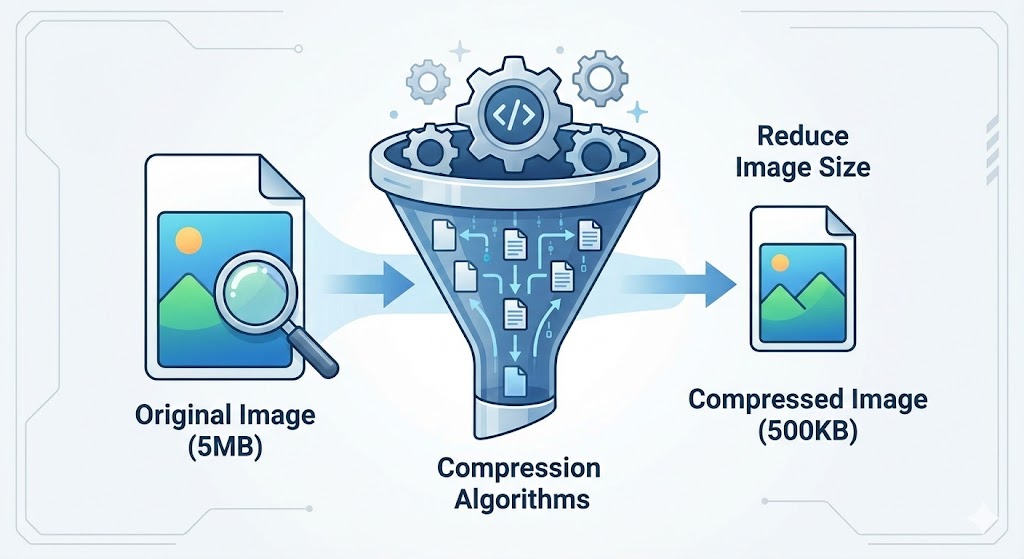
To understand the safety implications, we must first look at what happens when you upload a file. When you use a tool to compress JPEG and PNG files, you are essentially asking a third-party service to alter the data structure of your image. The primary goal is image optimization—reducing the file size without significantly degrading the image quality.
But, Is Online Image Compression Safe when it comes to data privacy? generally, yes, for standard images. Most reputable platforms use automated scripts to process images and delete them shortly after. However, the definition of “safe” varies depending on whether you are compressing a picture of a sunset or a screenshot containing sensitive banking information. If you are asking, “Is Online Image Compression Safe for confidential data?”, the answer becomes more complex.
Real-life example: Consider “Sarah,” a freelance graphic designer. She frequently uses online tools to send drafts to clients. For her, the convenience outweighs the risk because the images are creative assets, not sensitive personal data. However, if she were working on unreleased proprietary designs for a major tech firm, relying on a random server might breach her Non-Disclosure Agreement (NDA). This distinction is vital when evaluating Is Online Image Compression Safe.
Understanding the Tech: Is Online Image Compression Safe with Different Algorithms?
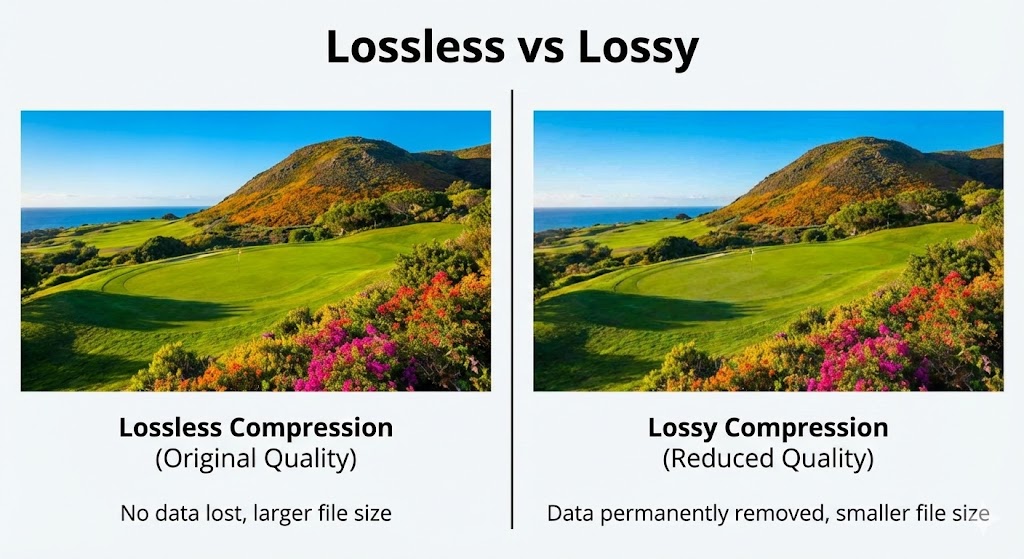
The safety of your images also depends on the method used. There are two main types of compression: Lossless vs lossy.
1. Lossless Compression
This method reduces file size by removing metadata and redundant information without affecting the pixel data. When you ask, “Is Online Image Compression Safe regarding quality?”, lossless compression is the safest bet. It ensures that the integrity of the image remains 100% intact. This is crucial for archivists and professionals who need to reduce image size but cannot afford pixelation.
2. Lossy Compression
Lossy compression removes some data to achieve significantly smaller file sizes. While this is excellent for website loading speed, it technically alters the image permanently. So, Is Online Image Compression Safe if you need to revert to the original later? No, because the data is gone forever. Always keep a backup of your original high-resolution files.
Server-Side vs. Client-Side: Is Online Image Compression Safe?
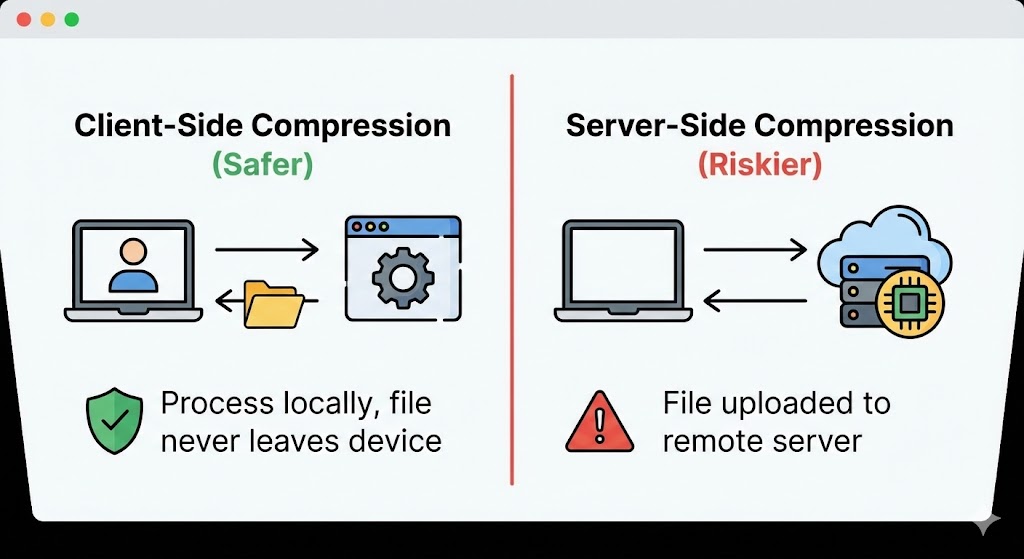
This is the most critical factor in determining data privacy.
Most older online compressors work on a server-side model. You upload your photo to their server, their compression algorithms process it, and you download the result. In this interim, your file exists on someone else’s computer. This raises the question: Is Online Image Compression Safe if the server is hacked? There is always a non-zero risk.
However, modern technology has introduced client-side compression. This is where tools like Compressnow.in shine. If you check their mechanism, many modern tools process the image directly in your browser using JavaScript or WebAssembly. The file never leaves your device. When asking “Is Online Image Compression Safe?”, a tool that processes locally is infinitely safer than one that requires a file transfer. Compressnow.in is a prime example of how you can achieve efficient compression without the privacy risk associated with uploading files to a remote server.
The Privacy Policy Check: Is Online Image Compression Safe?
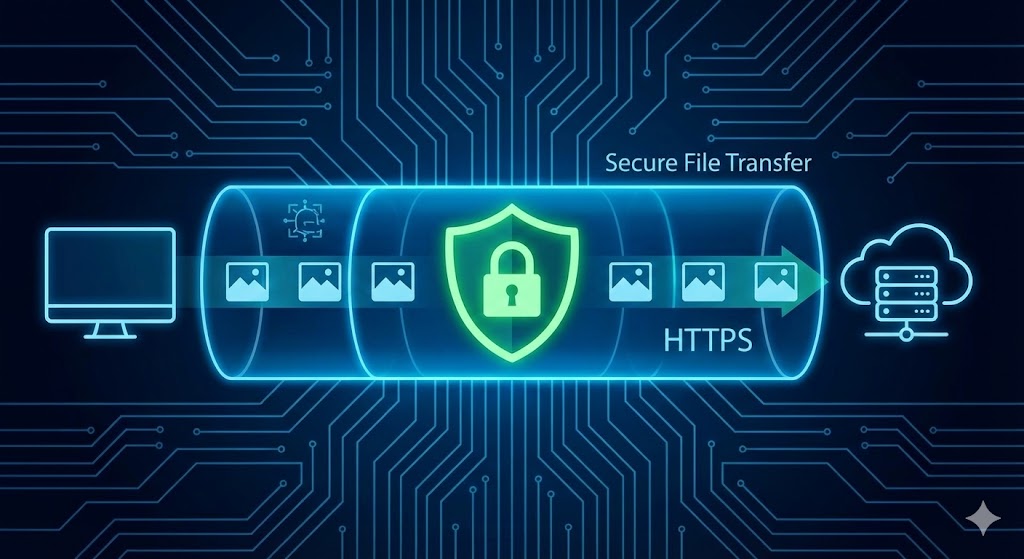
Before you drag and drop your files, you must read the fine print. Data privacy policies dictate what a company can do with your images.
Data Retention: How long does the file stay on the server? A safe tool deletes it immediately or within an hour.
Rights Usage: Does the Terms of Service grant the website a license to use your images? If the answer is yes, then Is Online Image Compression Safe? Absolutely not. You might find your photo used in a stock library without your consent.
Encryption: Secure file transfer (HTTPS) is non-negotiable. If the website doesn’t have a padlock icon in the address bar, do not use it.
So, Is Online Image Compression Safe on every website? No. You must vet the tool. A site that deletes images within 20 minutes is generally adhering to good security practices.
Risks of Malware: Is Online Image Compression Safe?
Another angle to consider is cybersecurity. Can a compressed image contain malware? While rare, steganography (hiding code inside images) is a real threat. If you download a compressed file from a shady website, you might be asking “Is Online Image Compression Safe?” while unknowingly downloading a virus.
To mitigate this, always use reputable sites that focus purely on image optimization. Avoid sites that are cluttered with aggressive pop-up ads or require you to download an executable (.exe) file instead of an image file. When you stick to standard formats like JPEG and PNG compression or modern WebP compression, the risk of executable malware is low, but vigilance is key.
Is Online Image Compression Safe for Business and SEO?
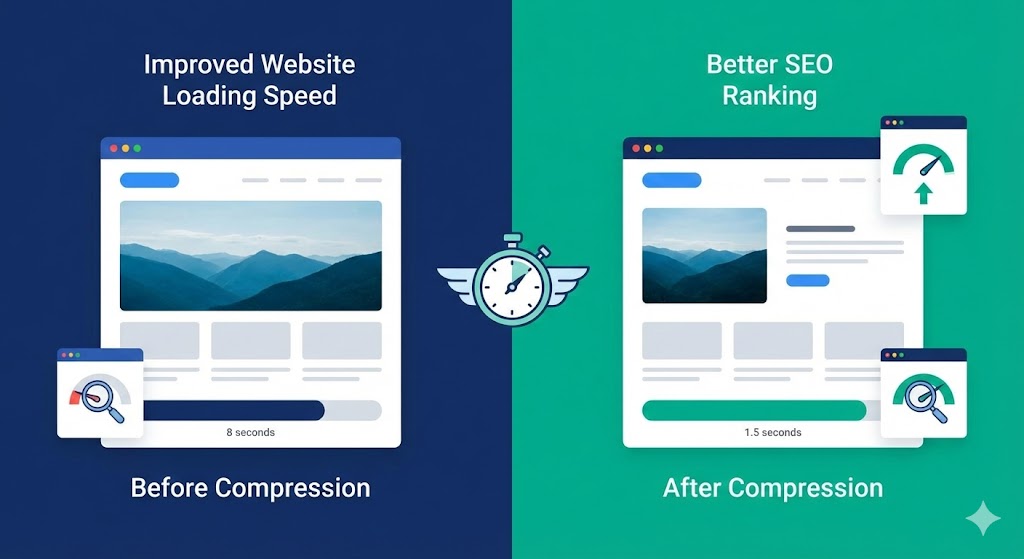
For businesses, the question “Is Online Image Compression Safe?” extends to SEO and user experience. Google considers page speed a ranking factor. Unoptimized images slow down your site, hurting your ranking.
Using WebP compression is a modern standard that offers superior compression rates compared to JPEG. By converting images to WebP, you drastically reduce image size which directly boosts website loading speed. In this context, asking “Is Online Image Compression Safe for my SEO?” yields a resounding “Yes”—it is actually dangerous not to compress them.
Real-life example: An e-commerce store selling handmade jewelry noticed a high bounce rate. Their product photos were high-res raw files, 5MB each. By using an online compressor to switch to optimized JPEGs, they reduced the page load time from 8 seconds to 1.5 seconds. Sales increased by 20%. Here, the answer to “Is Online Image Compression Safe and beneficial?” was a game-changer for their revenue.
Best Practices to Ensure Is Online Image Compression Safe
If you follow these rules, you can use these tools without fear:
Anonymize Data: Never upload screenshots containing passwords, credit card numbers, or addresses.
Check for HTTPS: Ensure Secure file transfer protocols are in place.
Use Client-Side Tools: As mentioned, platforms that process locally (similar to the approach of Compressnow.in) eliminate server risks.
Verify Deletion: Ensure the site claims to permanently delete files.
Backup Originals: Because lossy compression is irreversible, always keep the master file.
Comparing Desktop vs. Online: Is Online Image Compression Safe?
Some users argue that desktop software is safer. While true that offline software guarantees data privacy, it lacks convenience. Online tools are accessible from any device. The industry has evolved to the point where we can confidently ask “Is Online Image Compression Safe?” and answer “Yes,” provided you pick the right tool.
Desktop tools often require expensive licenses and installation space. For the average user needing to compress JPEG and PNG files for a blog post, online tools offer the perfect balance of speed and utility. The compression algorithms used online are often updated more frequently than boxed software.
The Hidden Dangers: Is Online Image Compression Safe from Intellectual Property Theft?
Imagine you are a professional photographer. You upload a watermark-free high-resolution image to a free compressor. If that website has a predatory clause in its terms, they might legally claim rights to that image.
In this scenario, Is Online Image Compression Safe? Not for your intellectual property. To avoid this, always resize your images before uploading them if you are worried about print-quality theft, or use a tool that respects image quality while assuring no rights transfer.
Is Online Image Compression Safe for High-Volume Needs?
If you need to process thousands of images, doing it manually online might be tedious and risky due to the sheer volume of data transfer. In this case, API solutions or bulk processors are better. However, for batches of 20-50 images, Is Online Image Compression Safe? Yes, standard SSL encryption handles these sessions securely.
When you reduce image size, you are also reducing the carbon footprint of the internet. Smaller files require less energy to store and transmit. So, from an environmental perspective, Is Online Image Compression Safe for the planet? It is actually helpful.
Technical Deep Dive: How Encryption Ensures Is Online Image Compression Safe
When you connect to a secure compressor, your connection is encrypted via SSL/TLS. This means that if a hacker intercepts the data stream between you and the server, they will only see gibberish. This Secure file transfer mechanism is the backbone of the modern web.
Without this encryption, the answer to “Is Online Image Compression Safe?” would be a definitive no. Always look for the lock icon.
Is Online Image Compression Safe with WebP?
WebP compression is a newer technology developed by Google. It supports both lossless vs lossy compression and allows for transparency. Because it is a web-first format, it is less likely to be used for malicious payloads compared to older, more complex container formats. Therefore, utilizing WebP not only aids image optimization but also reinforces the affirmative answer to “Is Online Image Compression Safe?”.
Conclusion: Is Online Image Compression Safe?
After analyzing the risks, the technology, and the privacy policies, we can draw a conclusion. Is Online Image Compression Safe? For 99% of users, yes.
The risks associated with data privacy and image quality are easily mitigated by choosing reputable tools and understanding the difference between lossless vs lossy methods. If you are handling top-secret government documents, keep them offline. For everything else—blog photos, social media posts, and vacation pictures—online compression is a vital, safe utility.
Remember to prioritize website loading speed by keeping your files small. Use tools that respect your privacy, like the client-side processing found on sites like Compressnow.in, and always double-check the URL.
Is Online Image Compression Safe for private photos?
Yes, generally. Most reputable tools delete your images from their servers automatically within a short timeframe (usually 1 hour). However, for highly sensitive documents (like IDs or banking info), it is safer to use offline tools or client-side compressors like Compressnow.in.
Does compressing an image ruin its quality?
It depends on the method. Lossless compression retains 100% of the image quality. Lossy compression removes some data to drastically reduce image size, which might cause slight quality loss but is better for website loading speed.
Can my computer get a virus from a compressed image?
It is very rare, but possible if the site is malicious. Always ensure you are downloading an actual image file (like .jpg or .webp) and never an executable file (.exe). Stick to trusted sites with Secure file transfer (HTTPS).
Why is client-side compression considered safer?
Client-side tools (like Compressnow.in) process the image directly in your web browser. The file never leaves your computer to go to a remote server, offering maximum data privacy.

Author Bio – Tanishk Singh
Tanishk Singh is a Digital Marketing Strategist, SEO Specialist, and Web Technology Expert with over 4+ years of hands-on experience in building, ranking, and monetizing high-performance web platforms.
He has helped scale organic traffic for multiple education and SaaS websites, including increasing Shoolini Online’s SEO traffic from 800 to 20,000+ users in just 2.5 months using advanced content architecture, AI-driven SEO, and Google SGE optimization.
Tanishk specializes in creating AI-powered web tools, performance-optimized platforms, and SEO-focused websites that rank, convert, and generate consistent revenue.
Need to Compress or Convert Files?
Try CompressNow.in - Free, Fast & Secure file compression and conversion tools!