
Lossy vs lossless image compression represents the most fundamental decision when optimizing images for web, storage, and performance. Understanding the difference between these two compression methods is crucial for website owners, developers, and digital professionals who want to optimize their images effectively. Lossy vs lossless image compression each serve distinct purposes, and choosing the right method directly impacts both file size and image quality.
The core distinction is simple yet powerful: Lossy vs lossless image compression differs in how data is treated. Lossy compression sacrifices some image data to achieve maximum file size reduction, while lossless compression preserves all original data with minimal size reduction. Understanding lossy vs lossless image compression enables you to make informed decisions that balance quality, performance, and storage requirements.
How Lossy vs Lossless Image Compression Work Technically
Lossy vs lossless image compression operate through fundamentally different algorithms and approaches. Lossy compression removes data deemed non-essential to human vision, employing techniques like Discrete Cosine Transform (DCT) that identify and discard color and detail information humans rarely notice. When you apply lossy compression, the process is irreversible—once data is removed, it cannot be restored.
Lossless compression, by contrast, preserves every pixel while removing only unnecessary metadata and redundant information. Lossless compression encodes images using algorithms like Huffman coding and LZ77, which compress data without sacrificing any visual information. The key difference in lossy vs lossless image compression is that lossless files can be perfectly reconstructed to their original state.
Real-world example: A photography portfolio initially saved a 4MB JPEG photograph using lossy compression. When the photographer attempted to edit and resave it 10 times, the image quality degraded noticeably with each save—colors became muddy, edges blurred. By contrast, a PNG file using lossless compression maintained perfect quality regardless of how many times it was edited and saved.
Lossy vs Lossless Image Compression: File Size Impact
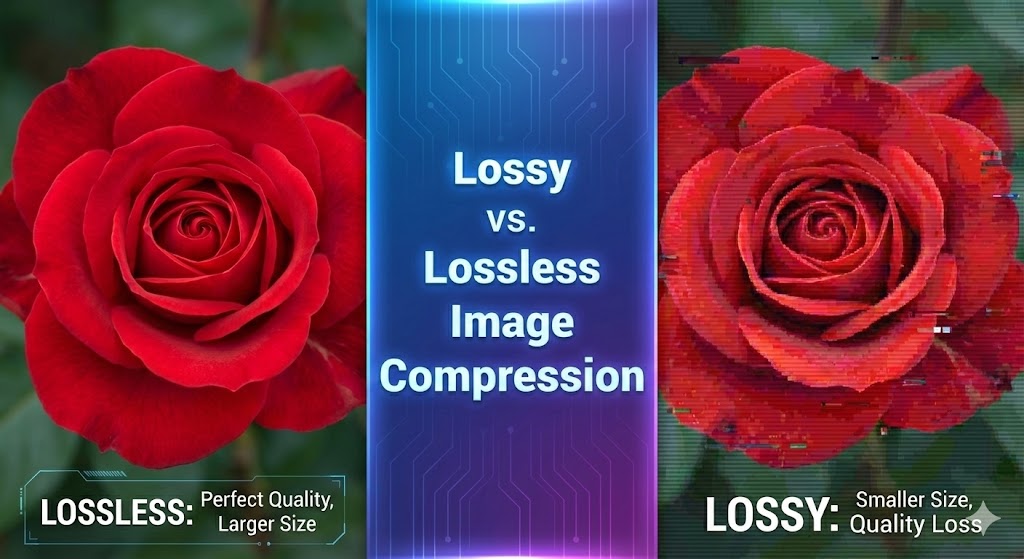
The most dramatic difference between lossy vs lossless image compression is file size reduction. Lossy compression can reduce file sizes by up to 90%, while lossless compression typically reduces them by only 5-50%, depending on image type and content.
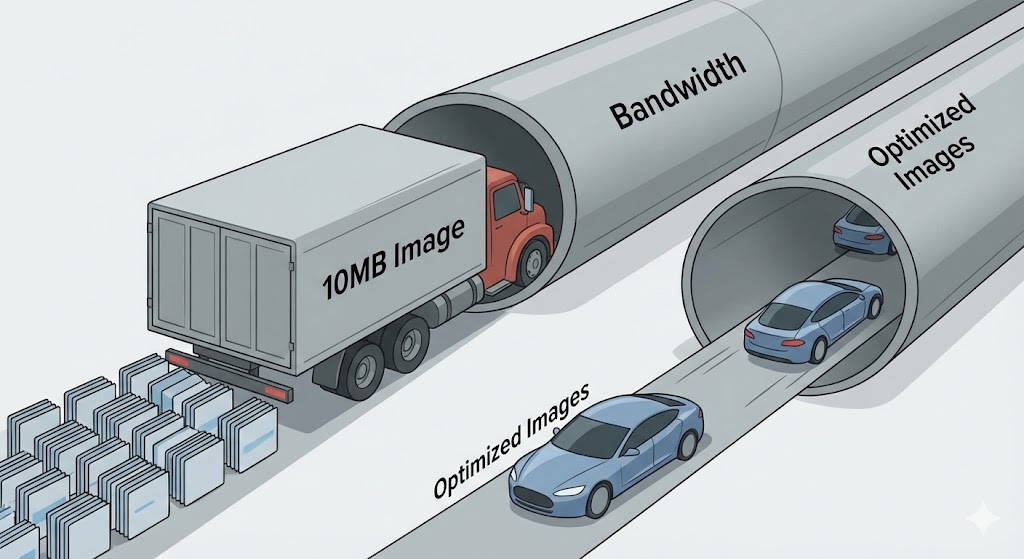
Here’s the practical breakdown: A typical 5MB photograph compressed with lossy algorithms (JPEG format) can shrink to 500KB—a 90% reduction. The same image compressed with lossless methods (PNG format) might only reduce to 4.5MB, a mere 10% reduction. This dramatic difference explains why lossy vs lossless image compression choice impacts page load speed and bandwidth consumption so significantly.
Real-world example: An e-commerce site with 200 product images averaging 3MB each used lossy JPEG compression, reducing the combined size from 600MB to 60MB (90% reduction). The same images in PNG lossless format would have been 540MB, requiring 9 times more bandwidth and storage space.
Lossy vs Lossless Image Compression: Quality Considerations
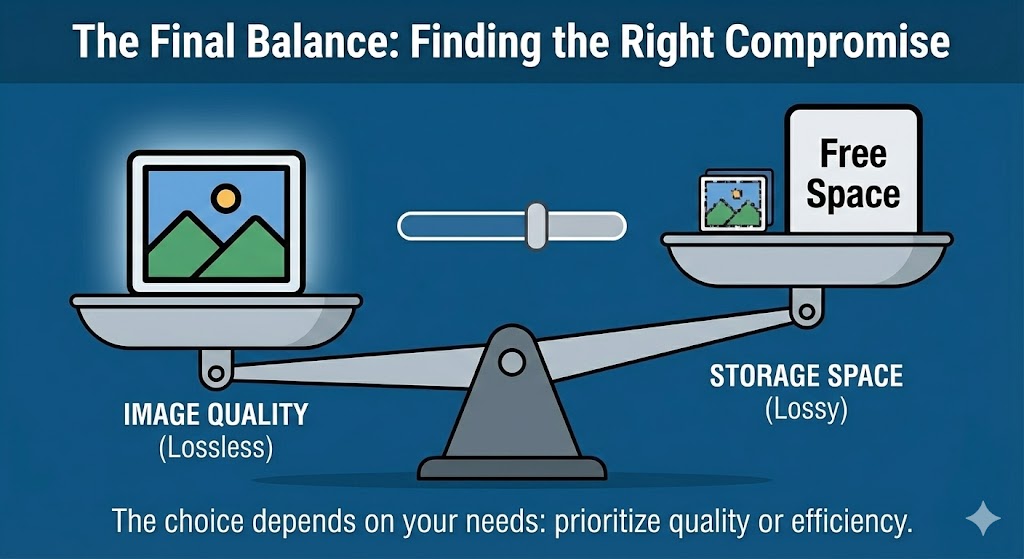
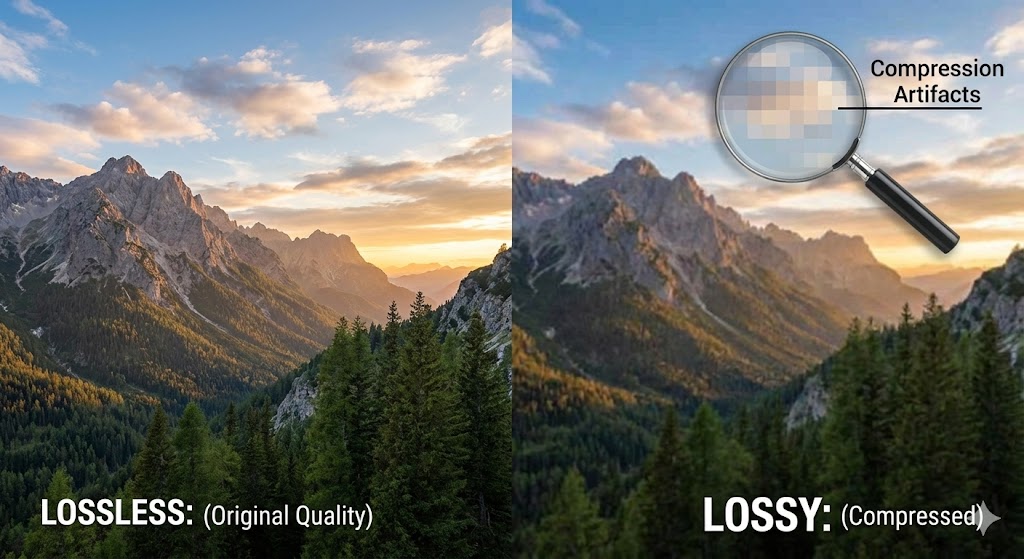
Lossy vs lossless image compression differs fundamentally in how they handle image quality. With lossy compression, visible artifacts appear at high compression ratios—colors become posterized, edges blur, subtle gradations flatten. However, at moderate compression levels, quality loss is imperceptible to human eyes.
Lossless compression maintains perfect image quality with zero degradation. This makes lossless compression essential for applications where precision matters: medical imaging, technical drawings, logos, and graphics. The trade-off is that lossless cannot achieve the aggressive file size reductions that lossy methods provide.
When comparing lossy vs lossless image compression for quality, consider that lossy removes information your eye doesn’t easily detect, while lossless preserves every pixel detail. This distinction makes lossy compression acceptable for web photography but unacceptable for professional print work.
When to Use Each Method
When to Use Lossy Compression
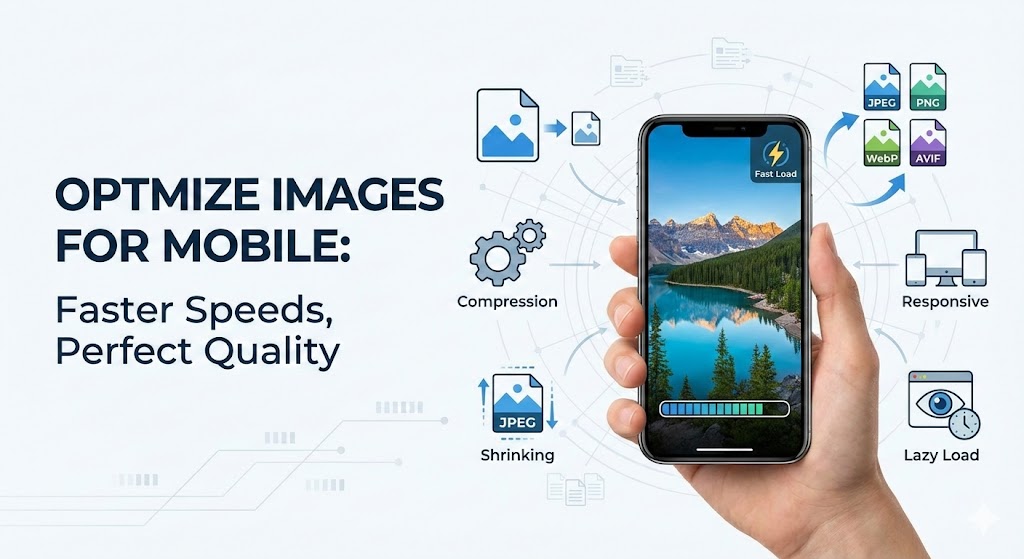
Lossy compression excels for photographs, hero images, and background images where minor quality loss is invisible to viewers. Website owners prioritizing page load speed and bandwidth savings should use lossy JPEG for photography.
Ideal use cases for lossy:
Photography and natural images
Web hero sections and featured images
Mobile and bandwidth-sensitive environments
Social media image sharing
Blog post images where perfect quality isn’t essential
Real-world example: A travel blog serving 50,000 monthly visitors switched from PNG (lossless) to JPEG (lossy compression) for all photography. This single change reduced bandwidth consumption by 75%, decreased page load speed from 4.2 to 1.8 seconds, and improved Google rankings due to better Core Web Vitals scores.
When to Use Lossless Compression
Lossless compression is essential for logos, graphics, screenshots, and images requiring precision. Graphic designers, photographers creating print materials, and professionals demanding pixel-perfect results should use lossless PNG or WebP lossless.
Ideal use cases for lossless:
Logos and brand graphics
UI elements and icons
Screenshots and technical documentation
Medical and technical imaging
Professional artwork requiring archival quality
Real-world example: A design agency maintaining a brand identity system stored all logos in PNG lossless format. When clients needed to resize or adapt logos, the perfect quality was preserved regardless of scaling. Had they used JPEG (lossy), resizing to larger dimensions would have revealed artifacts and quality degradation.
Lossy vs Lossless Image Compression Format Comparison
| Aspect | Lossy (JPEG) | Lossless (PNG) |
|---|---|---|
| File Size Reduction | Up to 90% | 5-50% |
| Quality Loss | Imperceptible to visible | None |
| Editing Impact | Degrades with repeated saves | No degradation |
| Best For | Photography, web images | Logos, graphics, archives |
| Reversibility | Irreversible data loss | Perfect restoration |
| Page Load Speed | Fast loading (small files) | Moderate (larger files) |
Modern Formats: WebP and Beyond
WebP revolutionizes lossy vs lossless image compression by supporting both methods within a single format. WebP achieves 25-35% better compression than JPEG in lossy mode while providing superior lossless compression compared to PNG.
Real-world example: A photography portfolio tested WebP lossless against PNG lossless and discovered WebP was 30% smaller with identical quality. For their JPEG photography, lossy WebP was 35% smaller than equivalent JPEGs while maintaining visible quality.
Practical Implementation: Choosing the Right Approach
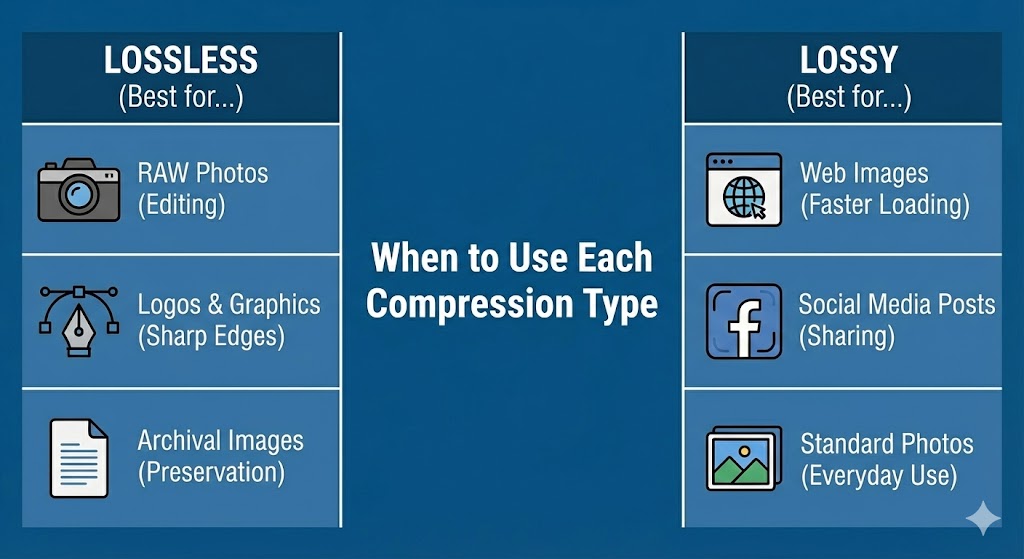
When deciding between lossy vs lossless image compression, consider:
Content type: Photography → lossy; graphics → lossless
Performance priority: Need speed? → lossy; need quality? → lossless
Editing frequency: Frequent editing → lossless; final delivery → lossy
Audience connection: Mobile users → aggressive lossy; professionals → lossless
Archival needs: Long-term storage → lossless; web delivery → lossy
For website owners seeking intelligent compression without technical expertise, Compressnow.in provides automated lossy vs lossless image compression solutions. This platform intelligently analyzes each image and applies optimal compression—lossy for photographs to maximize page load speed and bandwidth savings, lossless for graphics to preserve quality.
Compressnow.in handles the decision-making automatically, detecting image content and applying the most effective compression strategy. For WordPress users, e-commerce sites, and content-heavy websites, Compressnow.in achieves 40-70% overall size reduction by intelligently combining lossy and lossless techniques. The platform converts images to WebP format when possible, providing additional compression benefits while maintaining browser fallbacks.
Real users report: One travel photography website implemented Compressnow.in across 2,000 existing images. The platform applied lossy compression to all photographs, reducing bandwidth consumption by 65% and decreasing page load speed from 5.8 to 2.3 seconds. For their 50 logo files, it applied lossless compression, preserving perfect quality while still achieving 15% size reduction through metadata removal.
Generation Loss: Why Repeated Editing Matters in Lossy vs Lossless
Generation loss is a critical concept in lossy vs lossless image compression. Each time you edit and resave a lossy image (JPEG), it loses more data. After 5-10 edits, generation loss becomes visually obvious—colors muddy, edges blur, details disappear.
Lossless compression eliminates this problem entirely. You can edit a PNG 100 times without any quality loss. This fundamental difference makes lossy vs lossless image compression choice critical for creative professionals working on iterative projects.
Real-world example: A graphic designer edited a JPEG image 12 times during design development. By the final version, generation loss was severe—the image looked noticeably degraded. Using lossless PNG from the start would have maintained perfect quality through all iterations.
Lossy vs Lossless Image Compression: Performance Impact Summary
The choice between lossy vs lossless image compression directly impacts three critical metrics:
Page Load Speed: Lossy compression dramatically improves loading times through aggressive file size reduction
Bandwidth Consumption: Lossy reduces bandwidth requirements by 80-90%, critical for high-traffic sites
Image Quality: Lossless compression preserves perfect quality; lossy sacrifices imperceptible details for speed
Professional Best Practices for Lossy vs Lossless Decisions
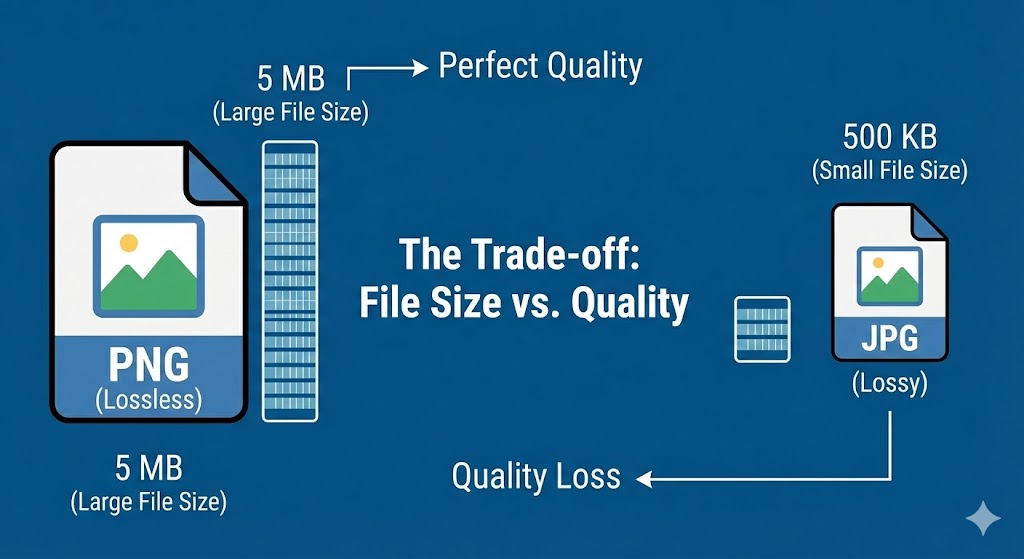
Industry professionals employ a hybrid strategy for lossy vs lossless image compression: store lossless master files for archival and editing, convert to lossy for web delivery. This preserves original quality while optimizing page load speed.
Photographers maintain lossless RAW files as masters, export lossy JPEG for web sharing. Web designers keep lossless PNG originals, serve lossy WebP on websites. This dual approach provides flexibility without sacrificing either quality or performance.
Conclusion: Making Informed Decisions on Lossy vs Lossless Image Compression
Advantages of PNG make it the default choice for countless digital professionals worldwide. From lossless compression that preserves perfect quality through unlimited save cycles, to sophisticated transparency enabling creative visual effects, to patent-free legal status, the Advantages of PNG are comprehensive and compelling.
Whether you’re designing logos and icons, capturing screenshots for documentation, creating detailed illustrations, or building web graphics, Advantages of PNG provide the optimal combination of quality, flexibility, and compatibility. The Advantages of PNG have made it the standard format for 81.8% of websites and the preferred format for millions of designers globally.
By understanding and leveraging the Advantages of PNG, you’ll create superior digital assets that maintain perfect quality, display consistently across all devices and platforms, and integrate seamlessly into any creative project. The Advantages of PNG continue to make it the most versatile and reliable image format for modern digital design, and its prominence will endure for decades to come.
The Advantages of PNG represent a remarkable achievement in digital imaging: a format that is simultaneously more powerful, more flexible, and completely free from legal restrictions compared to the formats it replaced. For any digital professional, understanding and utilizing Advantages of PNG is fundamental to creating high-quality digital content.
What is the main difference between lossy and lossless image compression, and when should I use each one?
The fundamental difference between lossy vs lossless image compression lies in how they handle image data:
Lossy Compression:
Lossy compression permanently removes data from images to achieve dramatic file size reduction (up to 90%). It works by discarding color and detail information that human eyes don’t easily detect. Once data is removed, it cannot be restored—the process is irreversible. JPEG is the most common lossy format.
When to use lossy:
Photographs and natural images
Web hero images and featured photos
Social media image sharing
Mobile and bandwidth-sensitive environments
Situations where page load speed is critical
Lossless Compression:
Lossless compression preserves every pixel of original image data while only removing metadata and redundant information (5-50% file size reduction). The image can be perfectly reconstructed to its original state, making it reversible. PNG is the most common lossless format.
When to use lossless:
Logos and brand graphics
UI elements and icons
Screenshots and technical documentation
Professional artwork requiring perfect image quality
Medical and scientific imaging
Images requiring frequent editing
What is generation loss, and why does it matter for photographers and designers?
Generation loss is the degradation that occurs every time you edit and resave a lossy image. Each save cycle causes additional data loss, accumulating until the quality loss becomes visually obvious.
How it works:
When you open a JPEG (lossy) image, edit it, and save it back to JPEG, the compression algorithm analyzes the already-compressed data and compresses it again. This creates a small amount of additional data loss. Repeat this process multiple times, and degradation compounds dramatically.
After 1 edit: Quality loss barely perceptible
After 5 edits: Slight color muddiness and edge softening visible
After 10+ edits: Obvious degradation—colors dull, edges blur, details flatten
Why it matters:
Professional photographers and graphic designers frequently edit images 5-15+ times during development. Using lossy formats like JPEG for this workflow guarantees generation loss by project completion.
Lossless compression eliminates this problem entirely. PNG, WebP lossless, and other lossless formats can be edited hundreds of times without any quality loss whatsoever.
How much file size reduction can I expect from lossy vs lossless compression, and which saves more space?
The file size reduction difference between lossy vs lossless image compression is dramatic:
Lossy Compression Reduction:
JPEG format typically achieves 80-90% file size reduction
Example: 5MB photograph → 500KB JPEG (90% reduction)
WebP lossy achieves 25-35% better compression than JPEG
Example: 500KB JPEG → 325KB WebP lossy (35% reduction)
Lossless Compression Reduction:
PNG format typically achieves only 5-50% file size reduction
Example: 5MB graphic → 3.5-4.75MB PNG (5-30% reduction, depending on content)
WebP lossless is 25-30% better than PNG
Example: 4MB PNG → 2.8MB WebP lossless (30% reduction)
The Winner: Lossy compression reduces file size far more aggressively.
Should I use WebP, and how does it compare to traditional lossy and lossless formats?
WebP is a modern image format developed by Google that supports both lossy and lossless compression, making it superior to traditional formats in most scenarios.
WebP Performance:
Lossy WebP: 25-35% smaller than JPEG at equivalent quality
Lossless WebP: 25-30% smaller than PNG at identical quality
Supports transparency and animation like PNG and GIF
Maintained by Google, continuously improved
Real-world example: An e-commerce site tested format conversion:
JPEG photographs (lossy): 2.5MB combined
PNG graphics (lossless): 1.2MB combined
WebP lossy (photographs): 1.6MB (36% reduction vs JPEG)
WebP lossless (graphics): 840KB (30% reduction vs PNG)
Total savings: 2.7MB → 2.44MB (9.6% overall improvement)
Lossy vs Lossless Image CompressionLossy vs Lossless Image CompressionLossy vs Lossless Image CompressionLossy vs Lossless Image CompressionLossy vs Lossless Image CompressionLossy vs Lossless Image CompressionLossy vs Lossless Image Compression
Need to Compress or Convert Files?
Try CompressNow.in - Free, Fast & Secure file compression and conversion tools!

Author Bio – Tanishk Singh
Tanishk Singh is a Digital Marketing Strategist, SEO Specialist, and Web Technology Expert with over 4+ years of hands-on experience in building, ranking, and monetizing high-performance web platforms.
He has helped scale organic traffic for multiple education and SaaS websites, including increasing Shoolini Online’s SEO traffic from 800 to 20,000+ users in just 2.5 months using advanced content architecture, AI-driven SEO, and Google SGE optimization.
Tanishk specializes in creating AI-powered web tools, performance-optimized platforms, and SEO-focused websites that rank, convert, and generate consistent revenue.