
What is PNG? Definition and Core Concept
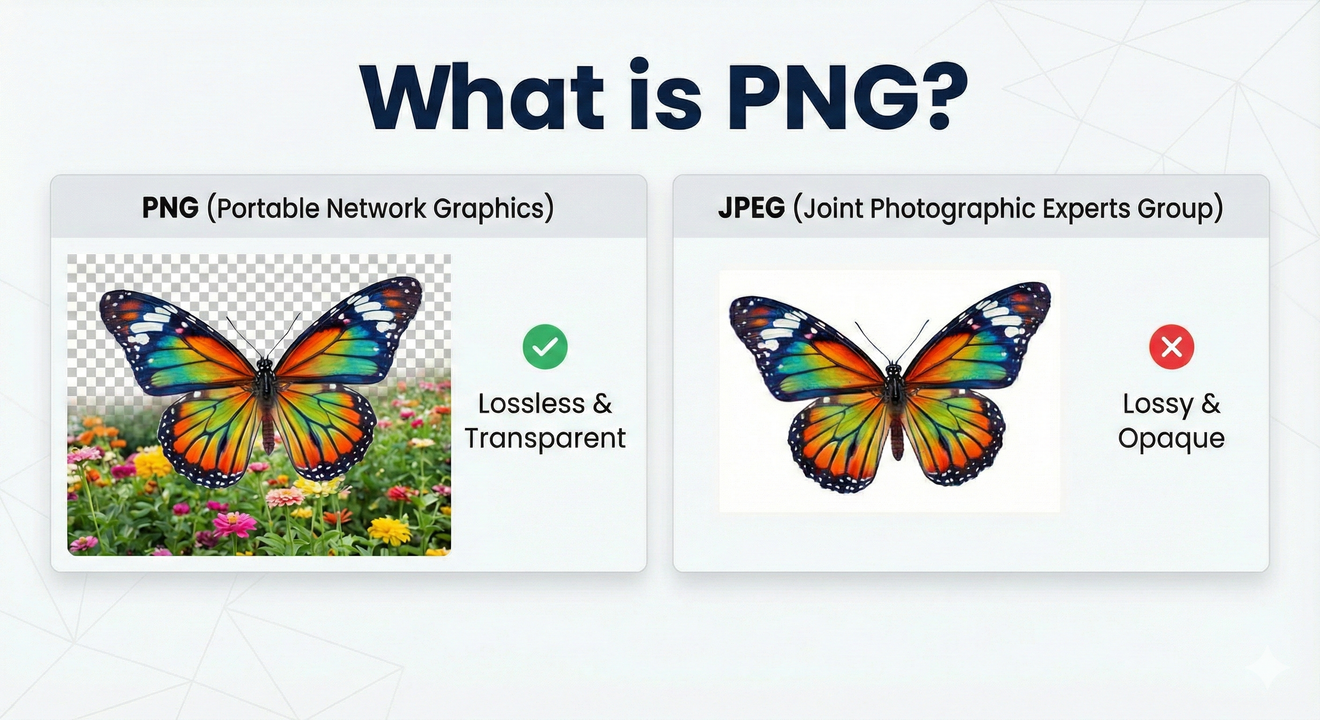
What is PNG? Portable Network Graphics (PNG) is a raster-graphics file format that has revolutionized digital imaging since its creation in 1995. This lossless compression format supports transparency, millions of colors, and preserves image quality without any degradation—making it the industry standard for web graphics, logos, icons, and digital design. If you’ve been wondering “what is PNG,” you’re about to discover why this format dominates modern web design and digital media worldwide.
Officially pronounced “PING” (though commonly referred to colloquially as “PEE-en-JEE”), what is PNG represents a complete departure from earlier image format limitations. Unlike proprietary formats that required licensing fees, PNG was designed as a free, open-source alternative that anybody could use without legal restrictions.
What is PNG Origin? A Story of Innovation and Freedom
What is PNG Made Of? Technical Architecture Simplified
Understanding what is PNG requires understanding the revolutionary circumstances that led to its creation. On December 28, 1994, Unisys Corporation announced that developers using the Graphics Interchange Format (GIF) would need to pay royalties due to their patent on the Lempel–Ziv–Welch (LZW) data compression algorithm. This sparked immediate outrage across the internet community.techtarget+1
The response was swift and ingenious. Thomas Boutell, frustrated by the patent licensing issue, posted a precursory discussion thread on the Usenet newsgroup “comp.graphics” on January 4, 1995, proposing a free alternative to GIF. Within three weeks of that initial post, the PNG Development Group had proposed and accepted most of the major features that define what is PNG today. The first PNG draft was released on January 4, 1995, and by the beginning of February 1995, seven drafts had already been produced.
The format’s name itself is a stroke of brilliance: PNG stands for “Portable Network Graphics,” with the “PN” portion forming a recursive acronym meaning “PING is not GIF”—a clever homage to the free software tradition. By March 1995, all specifications were finalized, and on October 1, 1996, the first official PNG version was released as a World Wide Web Consortium (W3C) recommendation
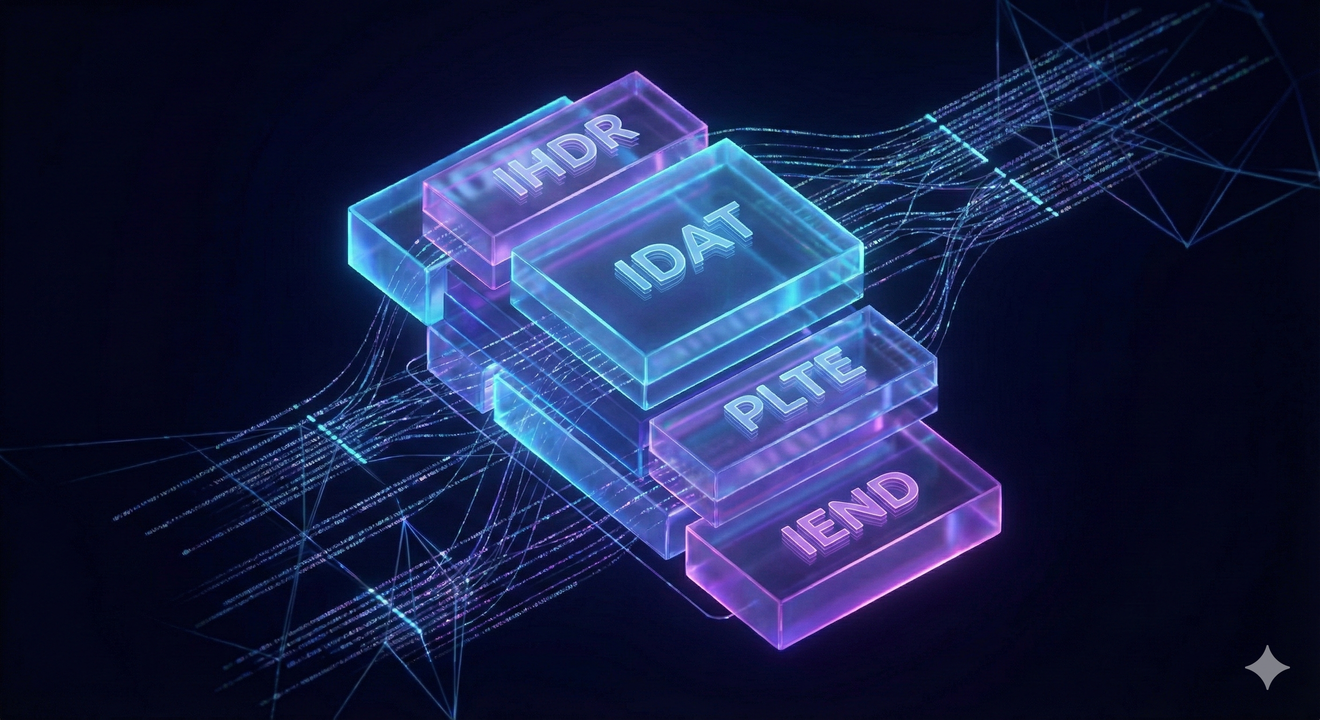
What is PNG at its foundation? PNG files are organized in an extensible structure of “chunks,” each containing specific information about the image. These chunks encode the basic pixels plus additional critical data such as textual comments, integrity checks (CRC values), transparency information, and metadata.
This chunk-based architecture is one of the most brilliant aspects of what is PNG. It allows the format to be extended and improved continuously while maintaining complete backward compatibility with older versions. Critical chunks that PNG decoders must understand include:
IHDR (Image Header) – Contains image width, height, bit depth, color type, and interlacing method
PLTE (Palette) – Stores color palette for indexed-color images
IDAT (Image Data) – Contains the actual compressed image pixels
IEND (Image End) – Signals the end of the PNG file
Optional ancillary chunks can store gamma values, background colors, ICC color profiles, and textual metadata, demonstrating the flexibility of what is PNG for diverse applications.
What is PNG's Superpower? Understanding Lossless Compression
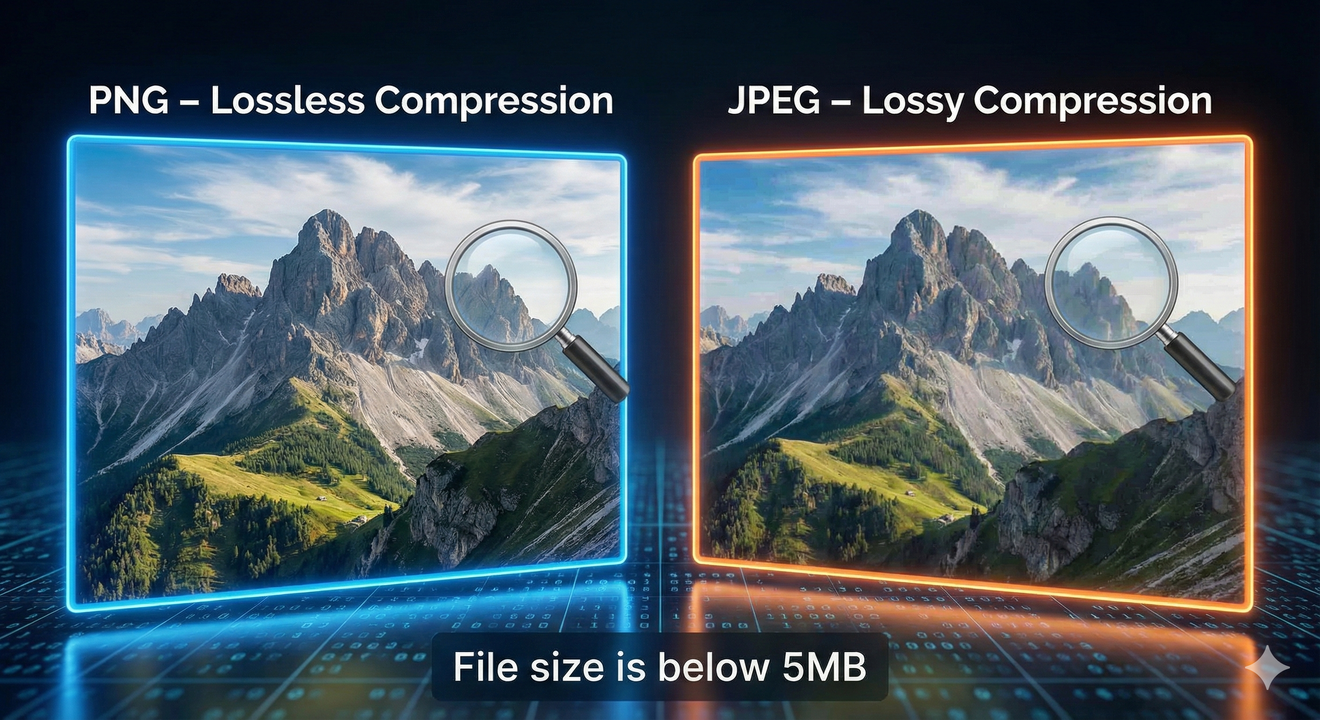
One of the defining characteristics answering “what is PNG” is its lossless compression algorithm. PNG employs a two-stage compression process that distinguishes it from formats like JPEG. First, PNG applies pre-compression filtering using prediction methods that transform data to make it more compressible. Second, it uses the DEFLATE algorithm, which combines LZ77 compression with Huffman coding.
DEFLATE is the same compression algorithm used in ZIP files and is widely recognized as the most reliable, non-patented compression technique available. This means what is PNG can compress images extremely effectively while preserving every single pixel of original information. When you open and resave a PNG file multiple times, the image quality remains perfectly intact—an enormous advantage over lossy formats like JPEG.
The practical result? PNG achieves compression ratios of 10-50% better than GIF files using the same content, and for simple graphics, PNG can be even more efficient than JPEG.
Essential PNG-Related Terminology
Lossless Compression – The technology that preserves all original image data without quality loss
Transparency Support – Alpha channel capabilities enabling images with see-through areasyoutube
Alpha Channel – Per-pixel opacity control providing 256 levels of transparency
Web Graphics – The primary use case for PNG across websites and digital applications
Image Quality – The maintenance of pixel-perfect detail through lossless compression
File Size – A critical consideration for website performance and SEO optimization
Graphic Design – Professional design applications where PNG dominates for quality and flexibility
Screenshot Format – The standard for capturing and sharing digital interfaces precisely
Color Depth – Support for various color specifications from 8-bit palettes to 48-bit truecolor
DEFLATE Algorithm – The underlying compression technology (LZ77 + Huffman coding) powering PNG efficiency
What is PNG's Variants? PNG-8, PNG-24, and PNG-32 Explained
What is PNG actually encompasses three main variants, each optimized for different purposes:
PNG-8 (Indexed Color)
PNG-8 uses indexed-color mode with 8 bits per pixel, supporting up to 256 colors—similar to GIF. This variant is ideal for simple web graphics such as logos, icons, and website buttons where color quantity isn’t a constraint. PNG-8 files are extremely small and perfect for web optimization when full color depth isn’t necessary.
However, PNG-8 has a limitation: it supports only binary transparency (on or off), resulting in harder, less refined edges compared to PNG-24. The outline of transparent images in PNG-8 can look prominent with white bits, whereas PNG-24 produces perfectly clean, transparent backgrounds.
PNG-24 (Truecolor)
PNG-24 uses 24 bits per pixel with full RGB color support, enabling 16.7 million colors. This variant suits detailed graphics, illustrations, and photographs where color accuracy matters significantly. PNG-24 is larger than PNG-8 but substantially smaller than JPEG files for graphics containing sharp edges and solid colors.
PNG-24 supports the alpha translucent transition effect, meaning it can perfectly present gradient transitions from opaque to completely transparent. This superior transparency makes PNG-24 the better choice for complex designs requiring smooth transparency effects.
PNG-32 (Truecolor with Alpha)
PNG-32 extends PNG-24 with an 8-bit alpha channel (32 bits total: 8 for red, 8 for green, 8 for blue, 8 for transparency). This format is essential for images requiring sophisticated transparency effects, gradient fades to transparent, or complex semi-transparent elements.
PNG-32 produces the largest file sizes among PNG variants but offers maximum quality for complex graphics needing full alpha channel support. When saving PNG files in Photoshop with “full alpha transparency” option selected, you’re creating PNG-32 files.
What is PNG Used For? Real-World Applications and Best Practices
What is PNG excel at in practical scenarios? Understanding these use cases is crucial for making informed design and development decisions:
Logos and Branding Materials
Logos saved as PNG with transparent backgrounds can be placed on any colored surface without visible white boxes or background artifacts. This makes PNG the universal standard for brand identity assets across web, print, and digital applications. A PNG logo maintains its quality and transparency regardless of background color, providing consistent brand representation.
Icons and UI Elements
Web and application designers universally favor PNG for icon systems because the format maintains pixel-perfect clarity and sharp edges—essential for readability at various sizes. The combination of lossless compression and transparency support makes PNG unbeatable for interface design.
Screenshots and Technical Documentation
Professionals conducting technical writing and documentation rely on PNG for screenshots because it preserves the pixel-perfect detail of interface elements. When taking a screenshot where UI elements shift quickly between dark and light backgrounds, PNG keeps everything crisp and sharp. Buttons, menu items, and color transitions remain perfectly sharp unlike JPEG’s blurry edges.
Diagrams, Charts, and Illustrations
Technical diagrams, flowcharts, and data visualizations benefit enormously from PNG’s lossless compression. These graphics contain sharp lines and flat colors that compress extremely well with PNG’s algorithm, resulting in efficient file sizes while maintaining perfect clarity.
Graphics Requiring Repeated Editing
Designers working on graphics that require multiple iterations and revisions prefer PNG because what is PNG offers lossless compression—repeated editing and saving doesn’t degrade quality like it does with JPEG files.
PNG vs. JPEG
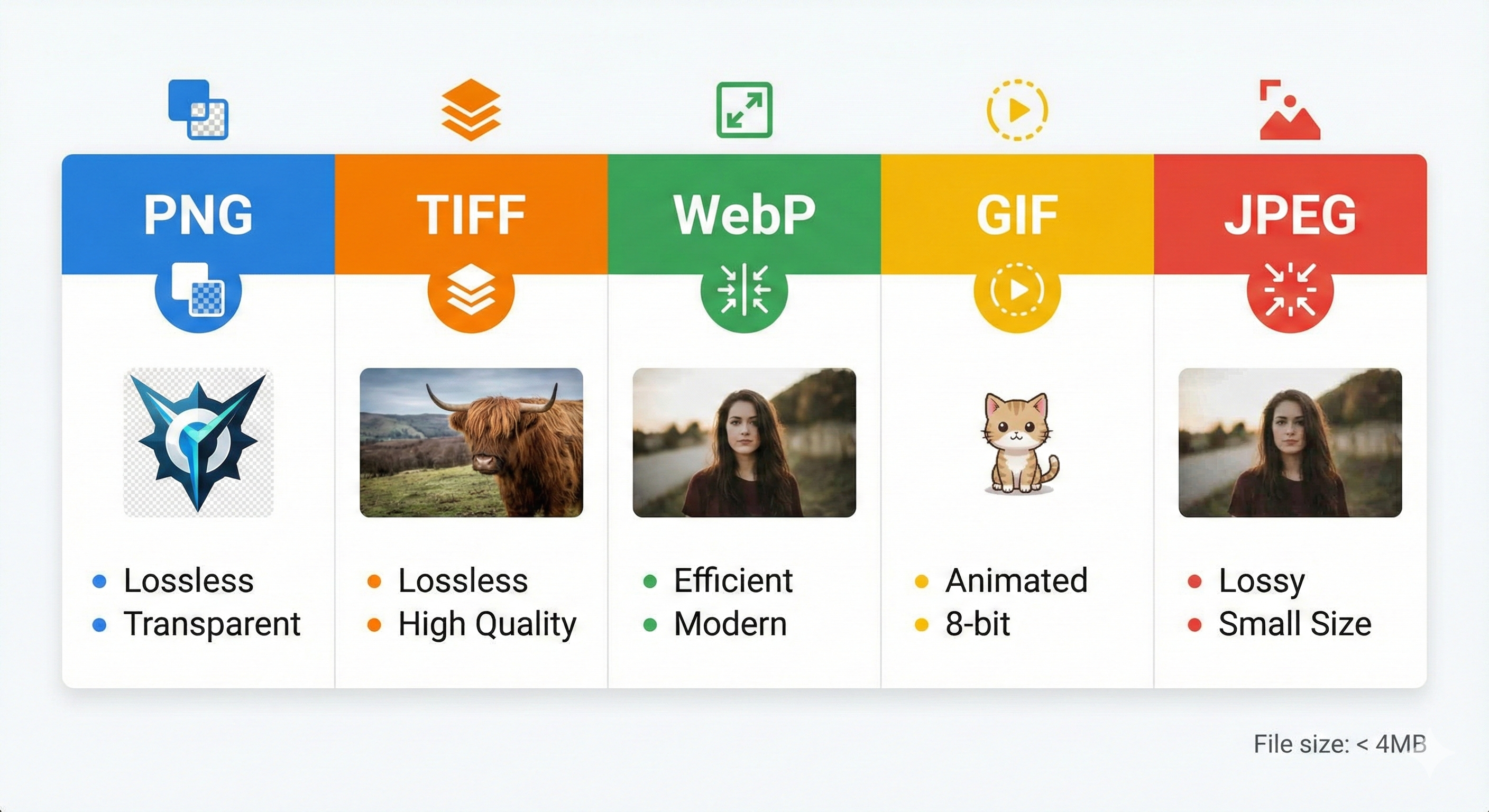
The fundamental difference between PNG and JPEG centers on compression philosophy. JPEG uses lossy compression, discarding data deemed less important to human vision, resulting in smaller files but potential quality degradation. What is PNG employs lossless compression, preserving every pixel.
For photographs with smooth color gradations, JPEG typically achieves better compression. However, for images with sharp edges, text, graphics, and areas requiring transparency, PNG consistently outperforms JPEG. Opening and saving a JPEG multiple times progressively degrades the image, while PNG maintains perfect quality regardless of how many times you edit and resave it.
For UI screenshots, PNG is superior because JPEG causes blurry edges and distortion on sharp color transitions. Additionally, JPEG doesn’t support transparency at all, making it impossible to create transparent backgrounds.
PNG vs. GIF
While both are lossless formats, PNG surpasses GIF in nearly every dimension. GIF is limited to 256 colors and supports only binary transparency, whereas what is PNG can display millions of colors with sophisticated alpha channel transparency.
PNG compression is approximately 5-25% better than GIF compression, making PNG more efficient even when used with similar color palettes. PNG-8 offers similar compression to GIF while PNG-24 and PNG-32 provide far superior color depth and transparency options.
PNG vs. WebP
WebP, developed by Google, offers superior compression—typically 26% smaller than PNG—while supporting both lossy and lossless compression plus animation. However, PNG maintains broader support across legacy applications and browsers, making it the safer choice for universal compatibility despite WebP’s technical advantages.
PNG vs. TIFF
TIFF (Tagged Image File Format) supports layered images, making it ideal for professional editing, but PNG is more efficient for web use. While TIFF is extensively used in professional photography and printing workflows, PNG remains the standard for web graphics due to superior compression and universal browser support.
Conclusion
What is PNG? It’s a versatile, reliable, and patent-free image format that has become essential to modern web design and digital graphics. From logos and icons to screenshots and technical diagrams, PNG’s combination of lossless compression, transparency support, broad compatibility, and superior color handling makes it the standard choice for countless applications.
Understanding what is PNG empowers designers, developers, and content creators to make informed decisions about image formats. By mastering PNG optimization techniques and recognizing when to use alternative formats, you’ll ensure your digital projects deliver exceptional visual quality while maintaining optimal performance.
Whether you’re creating brand identity assets, designing user interfaces, documenting technical processes, or building web content, what is PNG provides the perfect solution for maintaining image quality while preserving creative flexibility. With widespread browser support, universal compatibility across platforms and devices, and proven reliability over nearly three decades, PNG will remain a cornerstone of digital graphics for years to come.
The choice between PNG, JPEG, GIF, and modern formats like WebP should always be guided by your specific needs: transparency requirements, color complexity, file size constraints, and target audience devices. By following best practices for what is PNG usage and optimization, you’ll create professional, high-quality digital experiences that engage users while maintaining exceptional performance standards.
Q1: What exactly is PNG, and why was it created?
A: What is PNG? PNG stands for Portable Network Graphics, a raster-graphics file format created in 1995 as a free, patent-free alternative to the GIF format. The format was developed in response to Unisys Corporation’s announcement that developers would need to pay royalties to use GIF due to their patent on the LZW compression algorithm.
Thomas Boutell spearheaded the creation of PNG by proposing a superior alternative on January 4, 1995. Within three weeks, the PNG Development Group had established most of the major features that define what is PNG today. The official PNG specification was released as a World Wide Web Consortium (W3C) recommendation on October 1, 1996.
What is PNG designed to be: free, extensible, well-compressed, and capable of supporting transparency—everything GIF lacked. The name itself cleverly incorporates a recursive acronym: “PING is not GIF.”
Q2: What is the main difference between PNG and JPEG?
When to use PNG: Images requiring transparency, graphics with sharp edges, screenshots, logos, icons, diagrams, and any image you’ll edit repeatedly.
When to use JPEG: Photographs with smooth color gradations where file size efficiency is more important than transparency.
Q3: What are PNG-8, PNG-24, and PNG-32? Which should I use?
A: What is PNG encompasses three main variants, each optimized for different purposes:
PNG-8 (Indexed Color – 8 bits per pixel)
Color Support: Up to 256 colors
Transparency: Binary only (on/off, no gradients)
File Size: Smallest among PNG variants
Best For: Simple logos, icons, buttons, graphics with limited color palettes
Limitation: Hard edges on transparent areas; no semi-transparent effects
PNG-24 (Truecolor – 24 bits per pixel)
Color Support: 16.7 million colors (8 bits each for Red, Green, Blue)
Transparency: Alpha transparency with smooth transitions
File Size: Medium (larger than PNG-8, usually smaller than JPEG for graphics)
Best For: Detailed illustrations, logos requiring professional quality, complex designs with smooth transparency
Advantage: Gradient transitions from opaque to transparent create feathered edges
PNG-32 (Truecolor with Alpha – 32 bits per pixel)
Color Support: 16.7 million colors (8 bits each for Red, Green, Blue, plus Alpha)
Transparency: Full alpha channel with 256 opacity levels per pixel
File Size: Largest among PNG variants
Best For: Professional design work, complex semi-transparent effects, UI elements with layered transparency
Advantage: Maximum quality and flexibility for sophisticated graphics
Quick Selection Guide:
Simple icon with solid colors? → PNG-8
Logo or detailed graphic? → PNG-24
Professional design with transparency effects? → PNG-32
Need to Compress or Convert Files?
Try CompressNow.in - Free, Fast & Secure file compression and conversion tools!

Author Bio – Tanishk Singh
Tanishk Singh is a Digital Marketing Strategist, SEO Specialist, and Web Technology Expert with over 4+ years of hands-on experience in building, ranking, and monetizing high-performance web platforms.
He has helped scale organic traffic for multiple education and SaaS websites, including increasing Shoolini Online’s SEO traffic from 800 to 20,000+ users in just 2.5 months using advanced content architecture, AI-driven SEO, and Google SGE optimization.
Tanishk specializes in creating AI-powered web tools, performance-optimized platforms, and SEO-focused websites that rank, convert, and generate consistent revenue.